
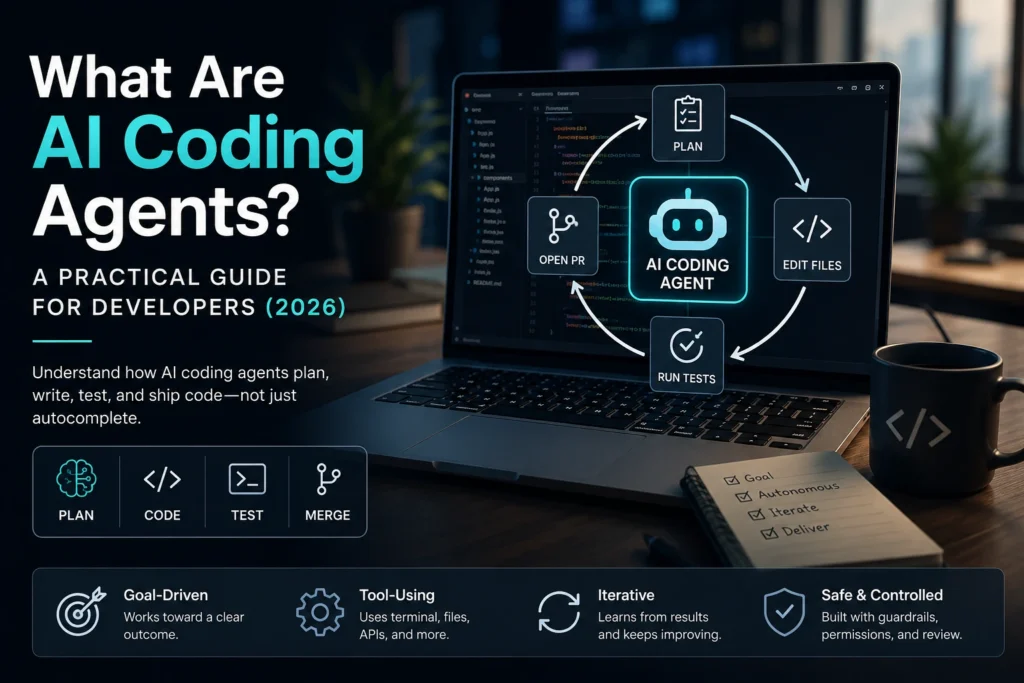

If you’ve only used tab-complete AI, “AI coding agents” can sound like marketing for the same thing with a louder name.
It isn’t.
An AI coding agent doesn’t just suggest the next line. It takes a goal, uses tools (files, terminal, tests, git), checks what happened, and keeps going until the task is done — or until it hits a wall you have to unblock. That loop is the whole product category.
This guide explains what AI coding agents are, how they differ from assistants, the three types you’ll actually meet in 2026, and how to pick one without buying four subscriptions out of panic.
Short answer
| You want… | You’re looking for… | Examples (category, not a ranking) |
| Inline speed while you type | Coding assistant | Copilot autocomplete, Cursor Tab |
| Multi-file work you supervise in an editor | IDE-native coding agent | Cursor Agent / Composer, Windsurf Cascade, Copilot agent mode |
| Long autonomous jobs in a repo | CLI / terminal coding agent | Claude Code, Aider-style CLI agents |
| Ticket → branch → PR while you’re away | Cloud / async coding agent | Copilot coding agent, Devin-style cloud agents, Cursor cloud agents |
If the tool can’t run commands and iterate on failures, it’s usually an assistant wearing an “agent” sticker.
What AI coding agents actually are
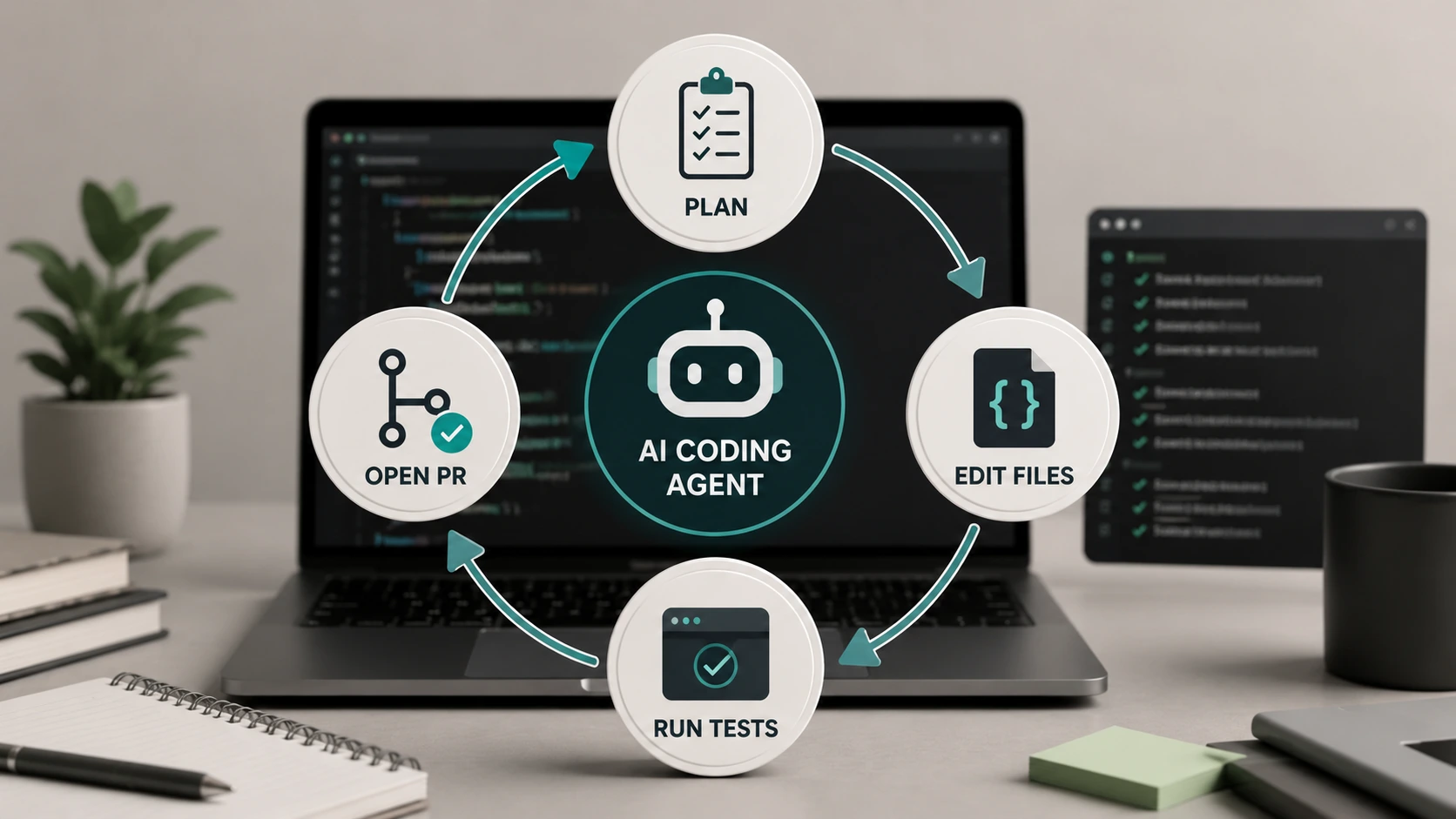
Strip the buzzwords and you get a simple machine:
- A model that can reason about code
- Tools it can call (read/write files, shell, browser, issue trackers, MCP servers)
- A control loop — act → observe → decide next step
- Boundaries — permissions, sandboxes, rate limits, human approvals
Anthropic’s public writing on agents puts it bluntly: agents are systems where models direct their own process and tool use. Sebastian Raschka-style breakdowns of coding agents land in the same place: remove the loop or the tools, and you’re back to chat.
That’s why a coding agent’s “unit of work” often looks like a branch, a passing test suite, or a pull request — not a highlighted suggestion you accept with Tab.
Coding assistant vs AI coding agent
People mash these together because brands ship both under one logo.
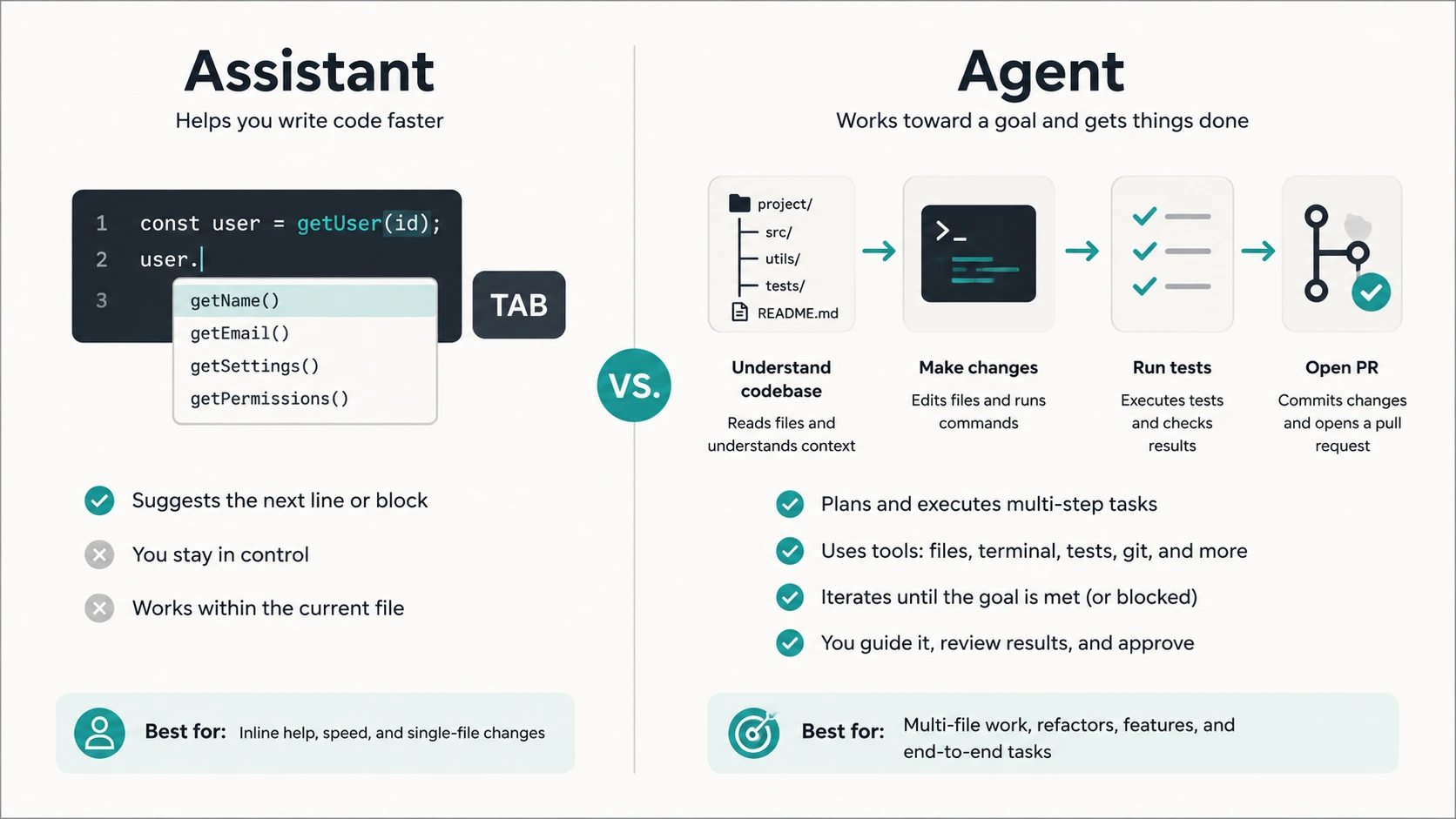
GitHub is the cleanest example. Copilot’s classic autocomplete is an assistant. Copilot’s coding agent that picks up issues and opens PRs is an agent. Same company. Different products.
| Coding assistant | AI coding agent | |
| Job | Suggest code | Complete a task |
| Loop | You drive every step | Model drives steps with tools |
| Scope | Line / function / chat answer | Multi-file, often whole repo |
| Failure handling | You paste the error back | It runs tests/commands and retries |
| Best for | Flow-state typing | Refactors, migrations, ticket-shaped work |
If you only need faster typing, an agent can be overkill — and more expensive. If you need “upgrade this auth flow and don’t stop until CI is green,” an assistant will frustrate you.
The three types of AI coding agents in 2026
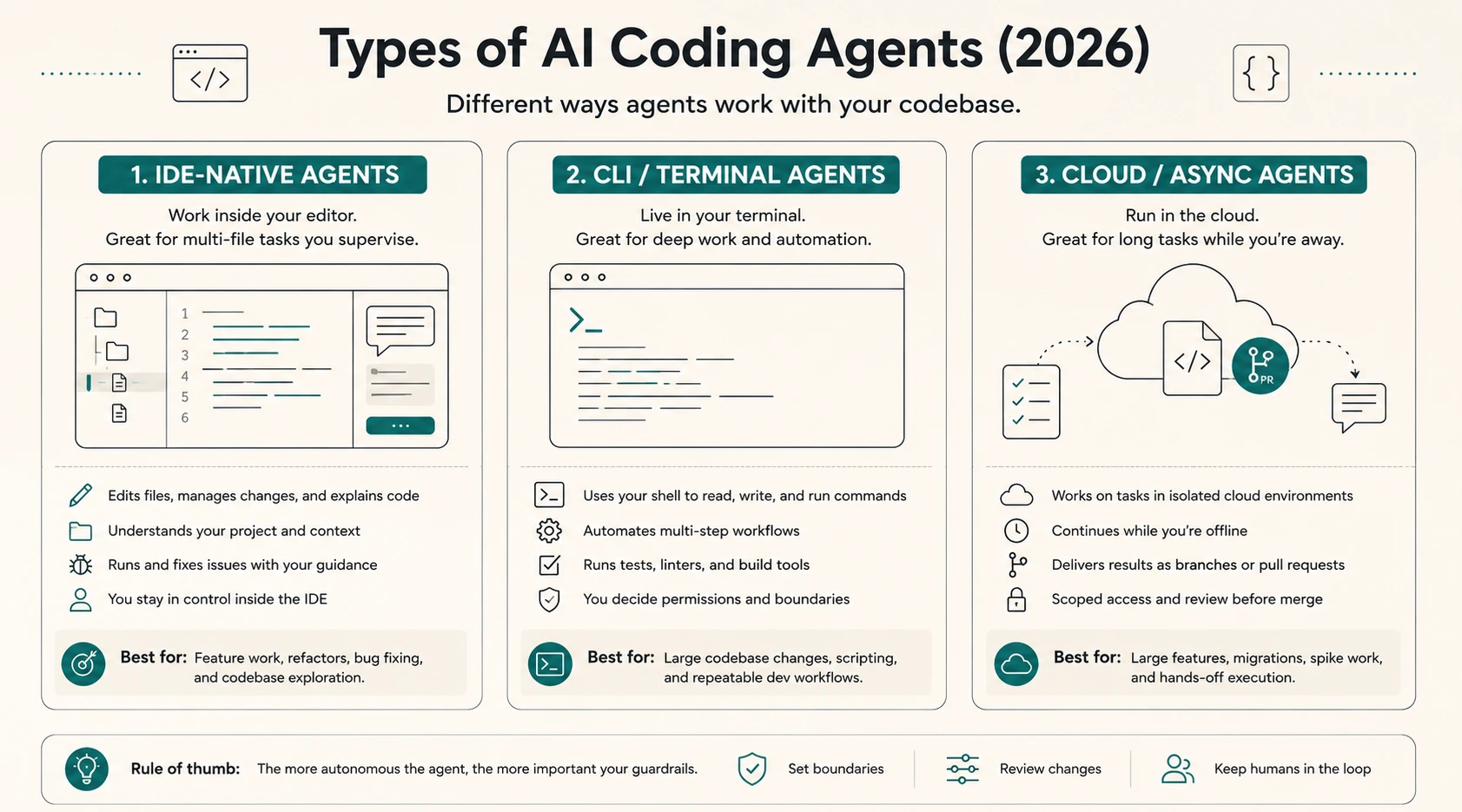
1) IDE-native agents
These live inside an editor (often a VS Code fork). You stay in the visual loop: diffs, previews, chat on the side.
Strengths: low context-switching, great for day-to-day feature work.
Tradeoffs: easy to burn premium usage; you’re still babysitting in a GUI.
2) CLI / terminal agents
/These treat your repo like a workshop. You describe an outcome; they edit files and run commands in the shell.
Strengths: strong for large refactors, migrations, “make the tests pass.”
Tradeoffs: steeper for beginners; rate limits and permission prompts matter a lot.
3) Cloud / async agents
You assign work (often from an issue) and come back to a branch or PR.
Strengths: parallel backlog burn-down, useful for teams.
Tradeoffs: needs clear scoping, review culture, and spend controls — autonomy without governance gets expensive fast.
How an AI coding agent works (without the mythology)
Under the hood, most serious agents repeat a short cycle:
Plan → pick tools → edit / run → read the output → update the plan → repeat.
Good sessions look boring: the agent greps the repo, opens three files, runs the test command you already use, fails once, patches, re-runs, then summarizes.
Bad sessions look magical until they aren’t: it rewrites the wrong module, “fixes” tests by deleting assertions, or loops until your rate limit dies. That’s not you being bad at prompting. That’s why Plan mode / approvals / small blast radius exist.
Practical habits that actually help:
- Start with a repo that has tests (or ask the agent to add a thin test first)
- State constraints in one sentence (“don’t change the public API,” “no new dependencies”)
- Prefer one vertical slice over “rewrite the backend”
- Review the diff like a junior teammate who types terrifyingly fast
Where AI coding agents shine — and where they don’t
They shine at
- Multi-file refactors with a clear definition of done
- Bug hunts when failing tests or logs exist
- Boilerplate that still needs repo context (not a blank gist)
- Onboarding help: “explain how payments flow in this codebase”
They struggle at
- Vague product taste (“make it feel premium”)
- Security-sensitive auth/payments without review
- Ambiguous tickets with no acceptance criteria
- Codebases with zero tests and tribal knowledge only in Slack
On security: Veracode’s 2025 GenAI Code Security research found models introduced known OWASP-class issues in about 45% of tested generation tasks — and security performance stayed roughly flat even as coding fluency improved. Agents don’t erase that. They can amplify it by shipping more code faster. Treat review and SAST as part of the workflow, not a vibe.
How to choose (a 60-second decision)
Ask three questions:
- Where do I already live? If you refuse to leave the IDE, start IDE-native. If you live in tmux, try CLI. If your pain is backlog throughput, look at cloud agents.
- What’s the definition of done? “Suggestion I can accept” vs “PR that passes CI” are different purchases.
- What’s my review budget? More autonomy needs more review time — or you trade speed for incidents.
A common 2026 stack isn’t one winner. It’s a daily IDE agent plus a terminal agent for the ugly jobs. That’s normal. It’s not failure to “pick a side.”
FAQ
What are AI coding agents?
AI coding agents are systems that use a language model plus tools in a loop to complete software tasks — reading and editing code, running commands/tests, and iterating — instead of only suggesting snippets.
Are AI coding agents the same as Copilot?
Not exactly. Classic Copilot-style autocomplete is an assistant. Some vendors also ship separate agent products that open PRs or run multi-step jobs. Check which mode you’re actually using.
Do AI coding agents replace developers?
No. They change which work is expensive. Someone still scopes tasks, reviews risky changes, and owns production.
What’s the difference between AI coding agents and AI agent frameworks?
Coding agents are tools you run on a codebase. Agent frameworks (LangGraph, AutoGen, SDKs) are libraries for building agent applications. Related industry, different search intent.
Bottom line
AI coding agents matter in 2026 because software work is shifting from “complete my line” to “complete this outcome.” If you understand the loop — model, tools, observe, repeat — the product category stops feeling mystical and starts feeling like hiring a very fast junior with imperfect judgment.
Pick the type that matches where you work. Keep the blast radius small. Read the diff when it touches auth, money, or data.
That’s the whole game.