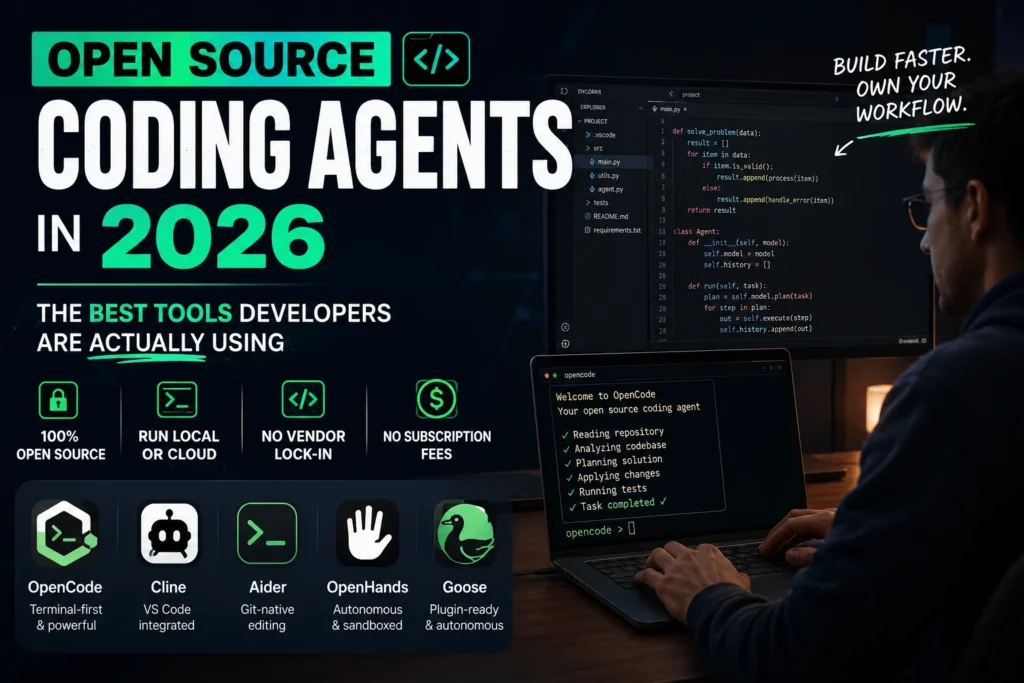

If you’ve been keeping an eye on the developer tools space, you already know things moved fast over the last year. The open source coding agent ecosystem that existed in late 2024 looks almost unrecognizable now. Tools have been archived, donated to foundations, retired, forked — and a few genuinely impressive new ones appeared seemingly overnight.
This post is a practical rundown. Which open source coding agent is actually worth your time in 2026, which ones are quietly dying, and what you need to know before you commit to one. No fluff.
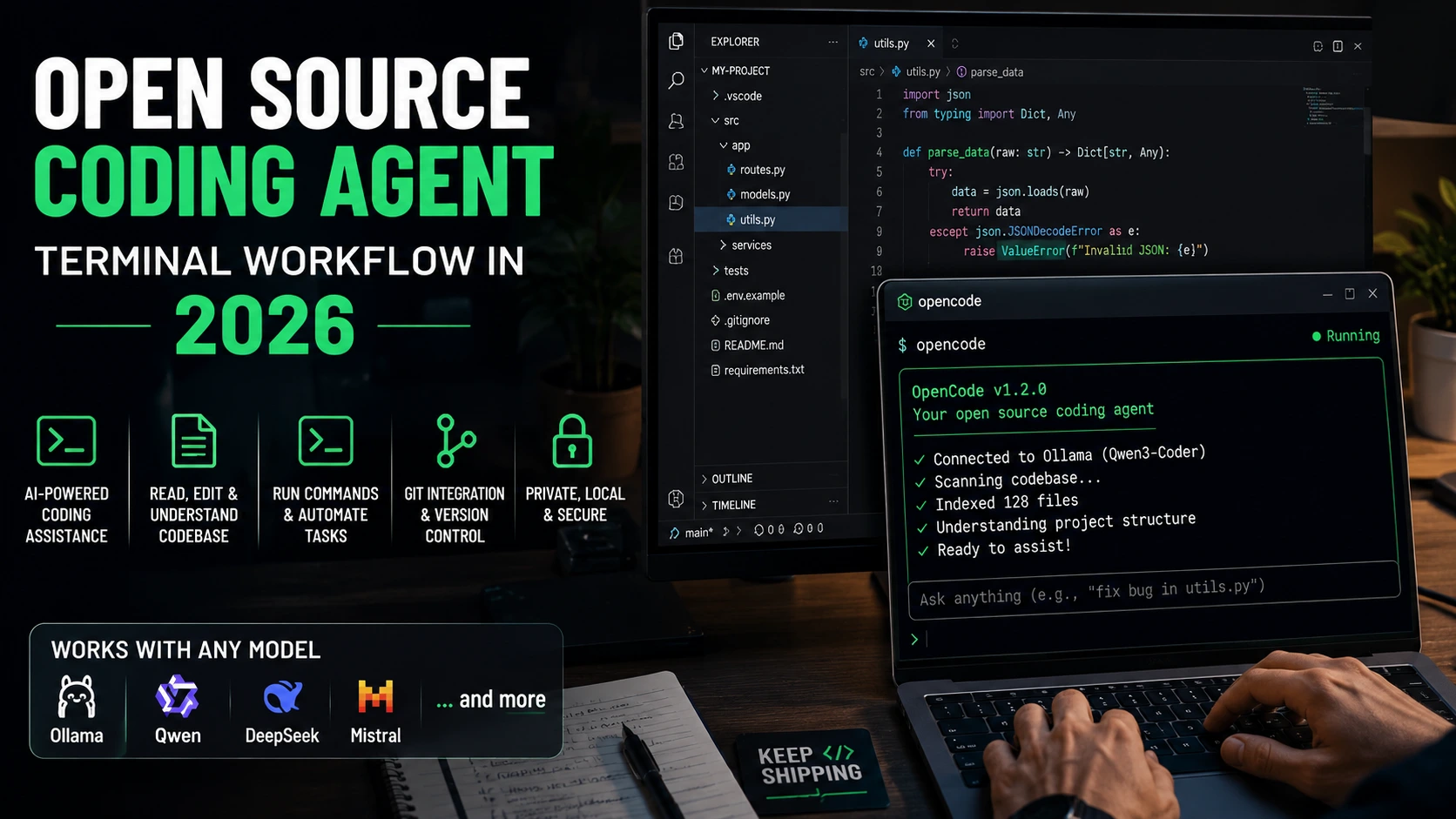
What Is an Open Source Coding Agent, Exactly?
An AI coding assistant and a coding agent are not the same thing — though a lot of people use the terms interchangeably. An assistant suggests completions, answers questions, maybe helps you refactor a function. An agent plans, acts, and iterates. It reads files, runs terminal commands, fixes its own errors, and keeps going until the task is done.
An open source coding agent does all of that while being fully transparent about what’s under the hood. You can read the code, modify the behavior, run it entirely offline, and point it at whatever model you want. No black box, no vendor dependency, no subscription fee for the tool itself.
Worth noting: “open source” has gotten a bit murkier in this space. Some tools are source-available under licenses that restrict commercial use (BSL, SSPL) — those don’t really count. Genuine open source means OSI-approved licenses like MIT, Apache 2.0, or BSD. The tools in this guide all clear that bar.
Why This Matters More in 2026 Than It Did a Year Ago
A few things converged to make open source coding agents genuinely competitive with paid alternatives.
First, the underlying models got good enough. Self-hosted options like Qwen 3 Coder, DeepSeek V3, and Devstral Small 2 (24B parameters, runs on a single RTX 4090) are no longer consolation prizes — they do real work. The annoying part is picking which one, because the benchmark landscape changes every few weeks.
Second, proprietary tools have been raising prices and adding friction. GitHub Copilot’s billing model changed significantly in mid-2026. Cursor hit $2 billion ARR and is reportedly in talks to raise at a $50 billion valuation — which is impressive, but also a signal that the paid coding agent space is getting expensive fast.
Third, teams with data residency requirements or strict security policies often can’t use cloud-dependent tools at all. An open source coding agent running local inference solves that problem cleanly.
The Open Source Coding Agents Worth Your Attention Right Now
OpenCode — The Community Favorite
OpenCode is the tool most developers reach for when they want an open source alternative to Claude Code. It’s terminal-native, works with any editor, and supports more than 75 model providers including local inference via Ollama. As of mid-2026, it has over 165,000 GitHub stars and roughly 5 million monthly active developers — growing about 4.5x faster in star velocity than Claude Code.
The MIT license means you can use it commercially without restrictions. It also integrated directly with GitHub Copilot subscriptions in January 2026, so if you already pay for Copilot, you can authenticate into OpenCode without any additional cost.
One thing to be aware of: OpenCode had a public dispute with Anthropic in early 2026 over its Claude Pro/Max login feature, which was subsequently dropped. It’s worth knowing that history if you’re evaluating it for a team environment.
Cline — The VS Code Pick
If you live in VS Code and want a polished, editor-integrated experience, Cline is probably your best option. It plans, edits files, runs terminal commands, checks output, and iterates — all without you leaving the editor. With 61,000+ GitHub stars and an Apache 2.0 license, it has the community depth to support it long-term.
Cline is model-agnostic via bring-your-own-key. You can point it at Anthropic, OpenAI, Google, or a local Ollama instance. The setup takes about five minutes.
Aider — Git-Native and Disciplined
Aider has been around since 2023 and it’s still the best tool at one specific thing: clean, Git-native multi-file editing. It builds a code map of your repository across 100+ languages, coordinates edits across files, and auto-commits each change with a meaningful message. Your Git history stays clean and every change is reversible.
The honest caveat: Aider’s release velocity has slowed in 2026. No tagged release since August 2025. The tool still works and still gets commits, but if active development momentum matters to you, OpenCode has the edge right now.
OpenHands — Built for Autonomous Tasks
OpenHands (formerly OpenDevin) takes a different approach. It runs in a sandboxed environment, which means it can browse the web, execute code, and interact with software without touching your actual system. Around 75,000 GitHub stars. MIT-licensed.
It’s particularly useful for headless workflows — say you want to run it in CI to automatically fix failing tests, or you want it to handle a task completely on its own while you do something else. That’s where OpenHands shines. It’s not the tool for interactive pair programming.
Goose — Now Foundation-Governed
Goose started at Block (Square’s parent company) and was donated to the Linux Foundation’s Agentic AI Foundation in April 2026. That governance shift makes it vendor-neutral, which matters if you’re evaluating tools for long-term enterprise adoption.
It’s more autonomous than Aider, supports plugins, and handles multi-step tasks without much hand-holding. The community is smaller than Cline or OpenCode, and the behavior can sometimes be harder to predict. Solid tool, but maybe not the first one you reach for.
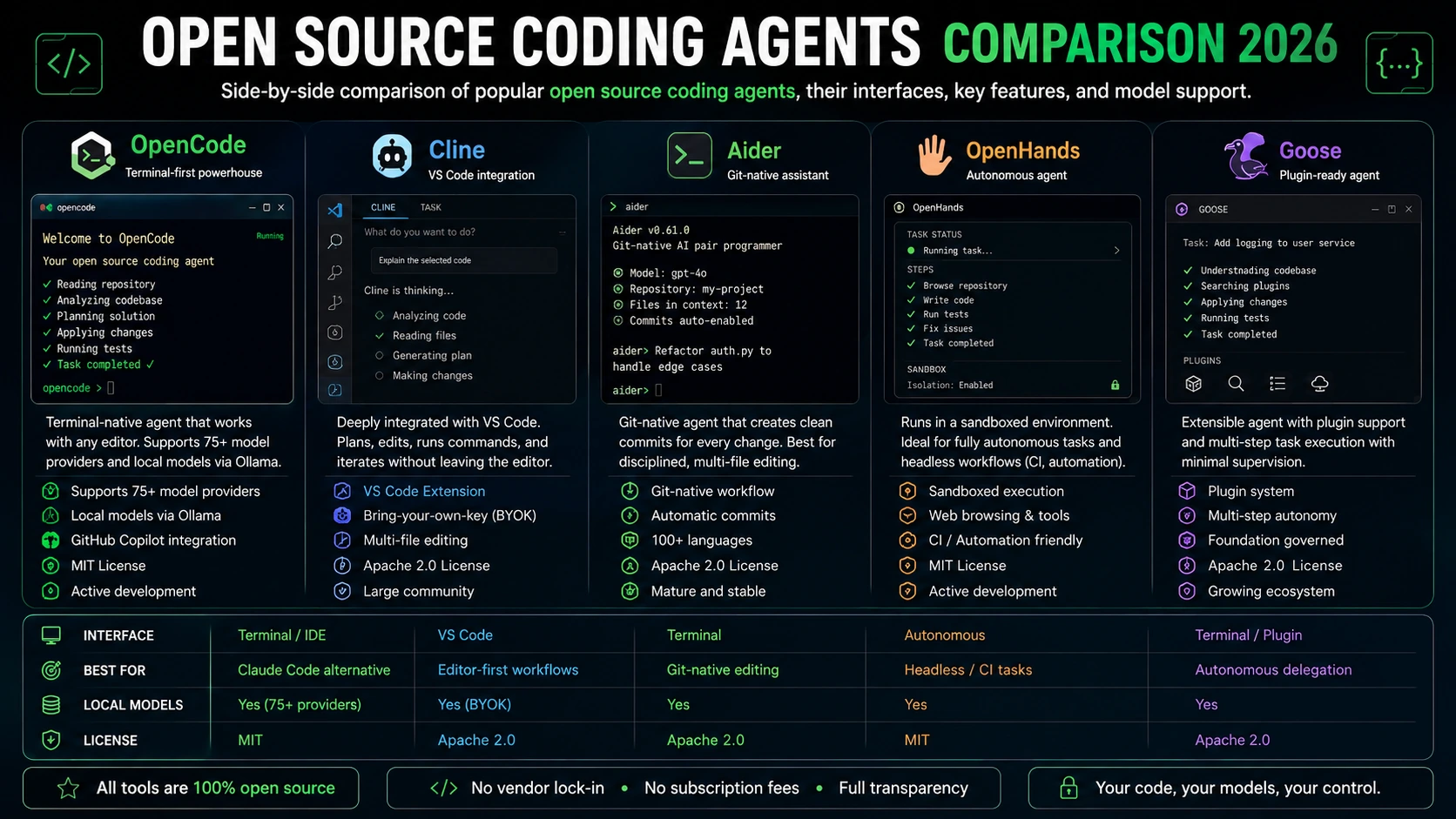
Quick Comparison: Which Open Source Coding Agent for Which Workflow
| Tool | Interface | License | Local Models | Best For |
| OpenCode | Terminal/IDE | MIT | Yes (75+ providers) | Claude Code alternative |
| Cline | VS Code | Apache-2.0 | Yes (BYOK) | Editor-first workflows |
| Aider | Terminal | Apache-2.0 | Yes | Git-native editing |
| OpenHands | Autonomous | MIT | Yes | Headless / CI tasks |
| Goose | Terminal/Plugin | Apache-2.0 | Yes | Autonomous delegation |
| Gemini CLI* | Terminal | Apache-2.0 | No | Free tier (retiring Jun 2026) |
*Gemini CLI was announced for retirement on June 18, 2026, being replaced by a closed-source successor called Antigravity CLI. If you’re on Gemini CLI, start planning a migration.
Getting Started with an Open Source Coding Agent
The setup path depends on which tool you pick, but the general pattern is the same:
- Pick your interface — terminal, VS Code extension, or autonomous agent.
- Decide on your model — cloud API (Anthropic, OpenAI, Google) or local via Ollama.
- Install the tool (usually a single pip install or npm command).
- Set your API key or configure your local endpoint.
- Point it at your repo and start with a small task to test it.
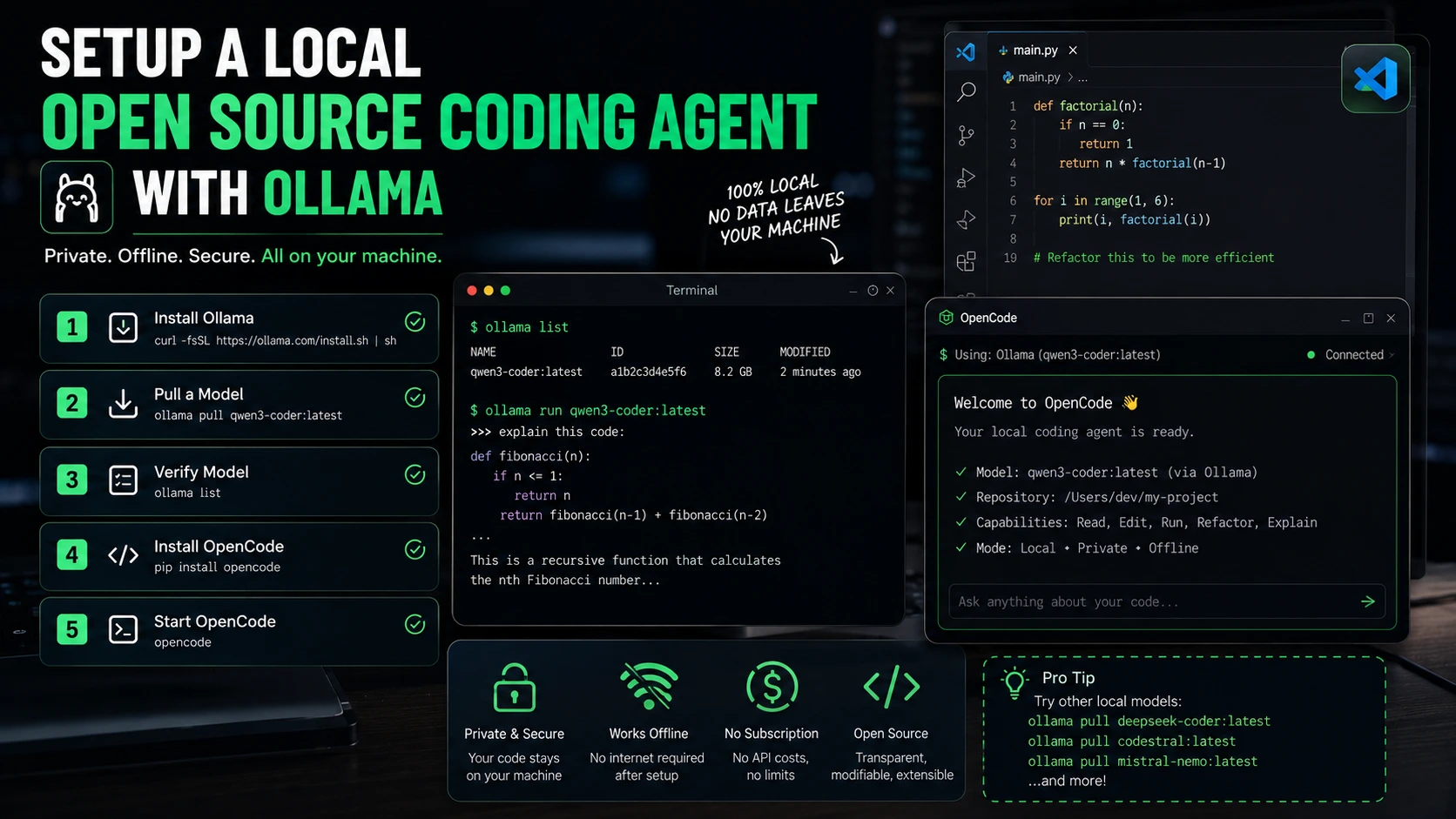
For fully local setups, the cleanest starting point is OpenCode + Ollama. Install Ollama, pull a model (something like Qwen3-Coder or Codestral via ollama pull), then launch OpenCode pointed at your local endpoint. No API key, no data leaving your machine, no ongoing cost beyond the hardware.
Take it slow on the first task. Most people’s mistake is giving the agent a massive, ambiguous goal on day one. Start with something bounded — “refactor this function to handle edge cases” or “write tests for this module” — and watch how it handles it before trusting it with bigger work.
Common Mistakes When Choosing an Open Source Coding Agent
Picking based on GitHub stars alone. Stars reflect popularity and community interest, not necessarily production readiness. Plandex had 15,000 stars and is now effectively in maintenance mode. Check the commit history and release dates too.
Conflating source-available with open source. Several tools in this space use BSL or SSPL licenses that restrict commercial use. These can’t clear enterprise legal review. Double-check the license before you build anything on top of it.
Expecting the agent to handle ambiguous goals. These tools work best with specific, well-scoped tasks. “Fix my codebase” is not a task. “Fix the null pointer exception in auth.py” is.
Not thinking about model costs. The tool is free; the model tokens usually aren’t. Cloud API usage adds up if you’re running the agent heavily. Budget for it, or route most traffic to a cheaper local model and escalate hard problems to a frontier API.
Committing to a tool that’s losing momentum. Roo Code (24,000 stars) was archived in May 2026. Gemini CLI is being retired. Check whether the project is actively maintained before depending on it.
Frequently Asked Questions
Is an open source coding agent as good as Claude Code or Cursor?
On benchmark numbers, not always — Codex CLI with GPT-5.5 leads Terminal-Bench 2.1 at 83.4%, and Claude Code with Opus 4.8 is at 78.9%. OpenCode and Cline are behind those numbers but closing the gap. For everyday tasks — refactoring, test writing, bug fixes — the difference is smaller than the benchmarks suggest.
Can I run an open source coding agent without any internet connection?
Yes. Tools like OpenCode, Aider, and Cline all support local models via Ollama. Pull a model locally (Qwen 3 Coder and Codestral are strong options), configure the tool to use localhost, and nothing leaves your machine. Useful for air-gapped environments or anyone with strict data policies.
What happened to Gemini CLI?
Google announced it’s retiring Gemini CLI on June 18, 2026, replacing it with a closed-source tool called Antigravity CLI. If you want to preserve the open source Gemini CLI experience, Qwen Code (an Alibaba terminal agent) is the recommended living fork. It gives you a similar workflow powered entirely by open source infrastructure.
Which open source coding agent works best for teams?
For teams with data residency requirements, Tabby is the only option here with a fully self-hosted server model. For teams that can use cloud models, OpenCode with shared provider configurations or Cline with a centralized BYOK setup both work well. Goose, now under foundation governance, is worth considering for organizations that care about vendor neutrality.
Is Aider still worth using in 2026?
Depends on what you need. If you want disciplined, Git-native multi-file editing with a clean commit history, yes — Aider is still the best at that specific thing. If you want a tool with active feature development and a large support community, OpenCode has overtaken it. The two aren’t mutually exclusive; some developers use both.
The Takeaway
The open source coding agent space in 2026 is not a neat, stable landscape. Things moved fast in the first half of the year — tools retired, donated, forked, and hyped up and then quietly slowing down. That’s worth keeping in mind before you build a workflow around any of them.
The safe picks are OpenCode for terminal-first work, Cline for VS Code, and Aider if Git-native editing is your priority. If you want full autonomy with no data leaving your infrastructure, OpenHands or a local Ollama setup is the move. None of these require a subscription fee for the tool itself — just model costs, which you control.
Pick one, run it on something small, and see how it behaves before committing. That’s honestly the best advice for any of these tools right now.