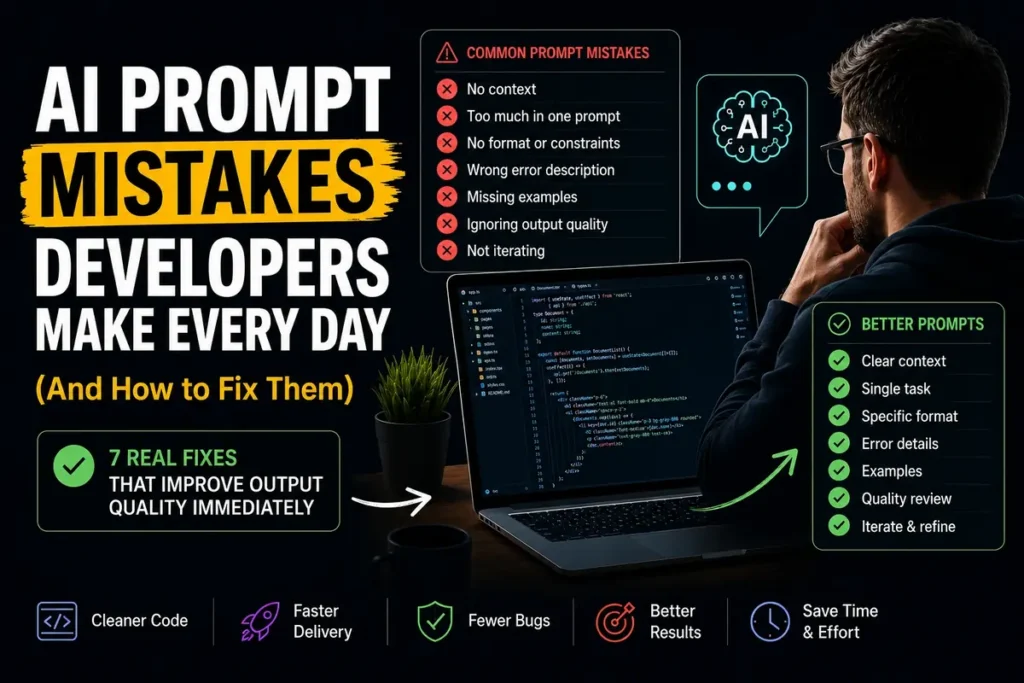

The AI prompt mistakes developers make most often are not about picking the wrong tool or the wrong model. They are about how the task gets communicated. A 2025 study found that 45% of AI answers had at least one significant issue — and in most cases, the problem traced back to a vague or incomplete prompt, not model failure. Workers are 40% more likely to say AI helps them work faster than to say it improves quality. Faster wrong answers are still wrong.
These seven AI prompt mistakes developers make every day are fixable in minutes. The output difference is not marginal. It is the difference between code that ships and code that quietly breaks three weeks later.
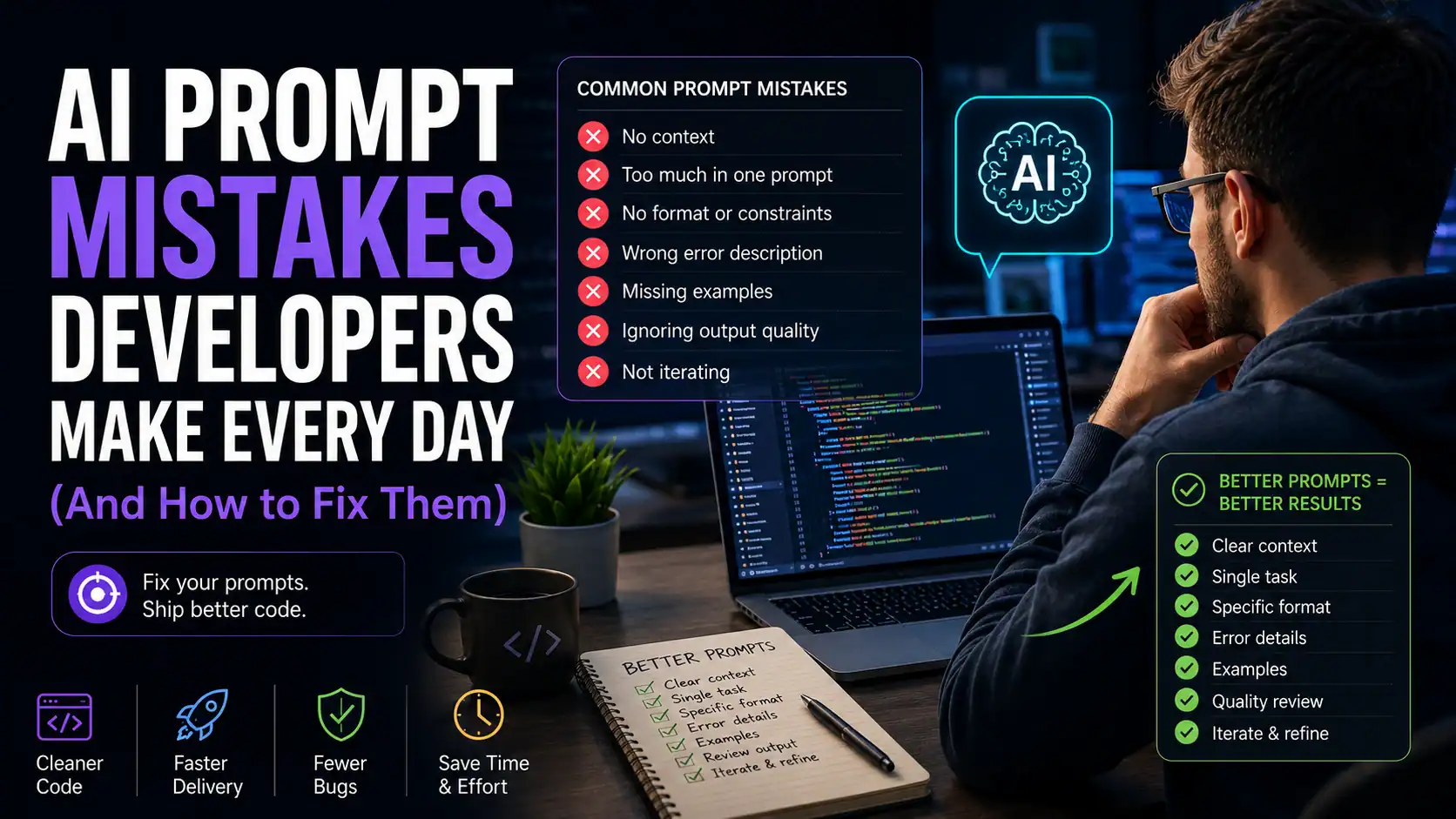
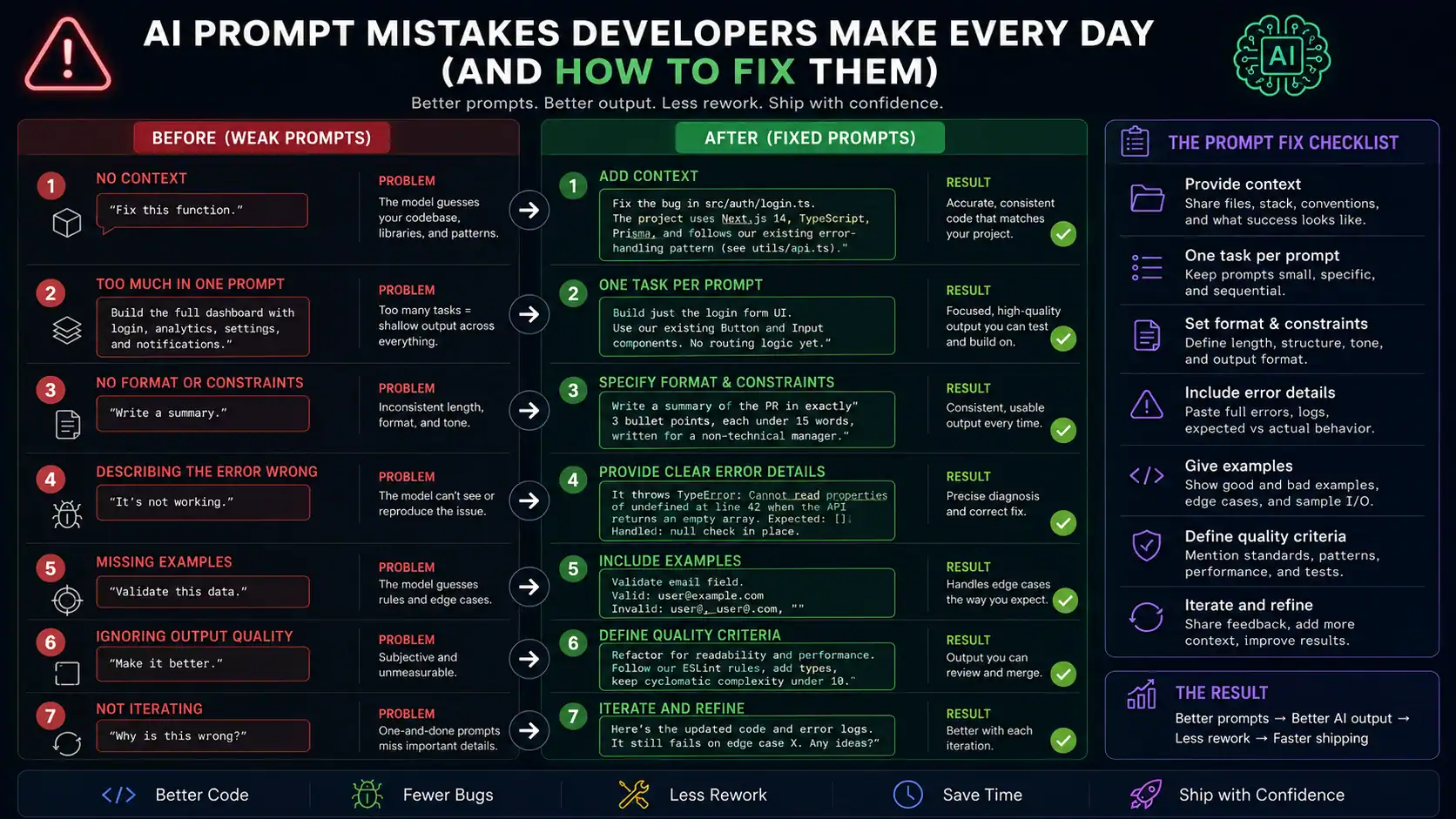
AI Prompt Mistake #1: Giving No Context About Your Codebase
The model has never seen your project. It does not know your file structure, your naming conventions, your existing error-handling pattern, or which libraries you use. When you write ‘fix this function,’ it fills every unknown with a guess — and those guesses are usually the most generic possible interpretation.
The fix is giving context before the task. This is one of the most common AI prompt mistakes developers overlook entirely. Tell it which file the code lives in, what the function is supposed to do, what pattern the rest of the codebase follows, and what a correct result looks like. That is not extra work — it is the difference between accepting the first output and spending twenty minutes correcting it.
A practical shortcut: keep a short CLAUDE.md or .cursorrules file in your repo root that describes your stack, conventions, and key dependencies. Any AI coding tool that reads project context picks this up automatically on every session — you describe your codebase once instead of repeating it in every prompt.
AI Prompt Mistake #2: Asking for Too Much in One Prompt
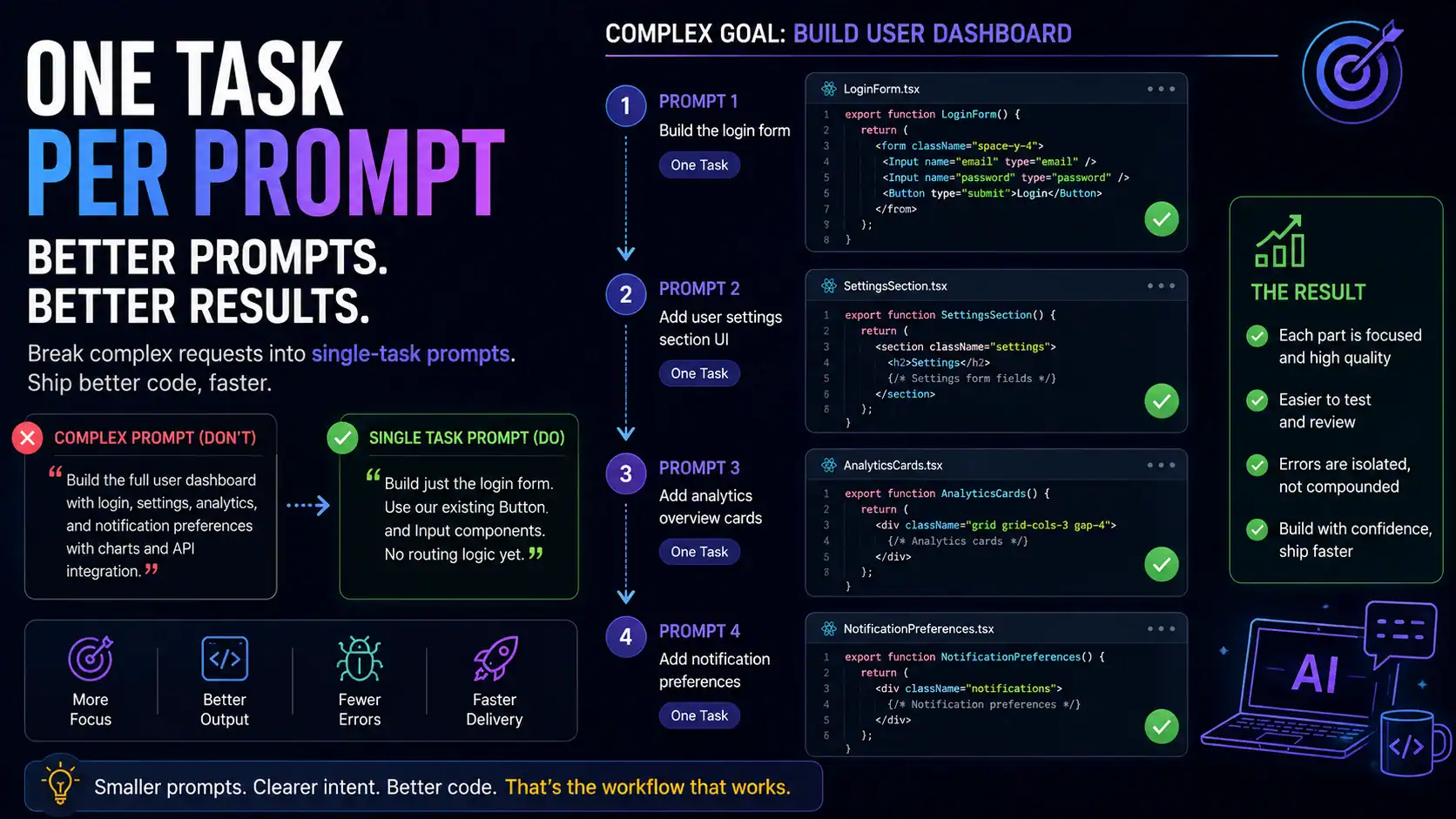
‘Build the full user dashboard with login, settings, analytics, and notification preferences’ is not a prompt. It is a project brief. When a single prompt spans too many concerns, the model’s reasoning degrades across each one. It produces something that looks complete and handles none of it well.
Break it down. One task, one prompt. ‘Build just the login form. Use our existing Button and Input components. No routing logic yet.’ That produces something you can actually test, approve, and build on. The next prompt handles the next piece. Sequential, bounded prompts consistently outperform large compound ones — and they make errors far easier to catch before they compound.
This is closely related to the session length problem that compounds token costs in agentic tools — covered in more detail in the AI coding workflow fix guide. The same principle applies to prompt scope: smaller, more focused inputs produce better outputs with less rework.
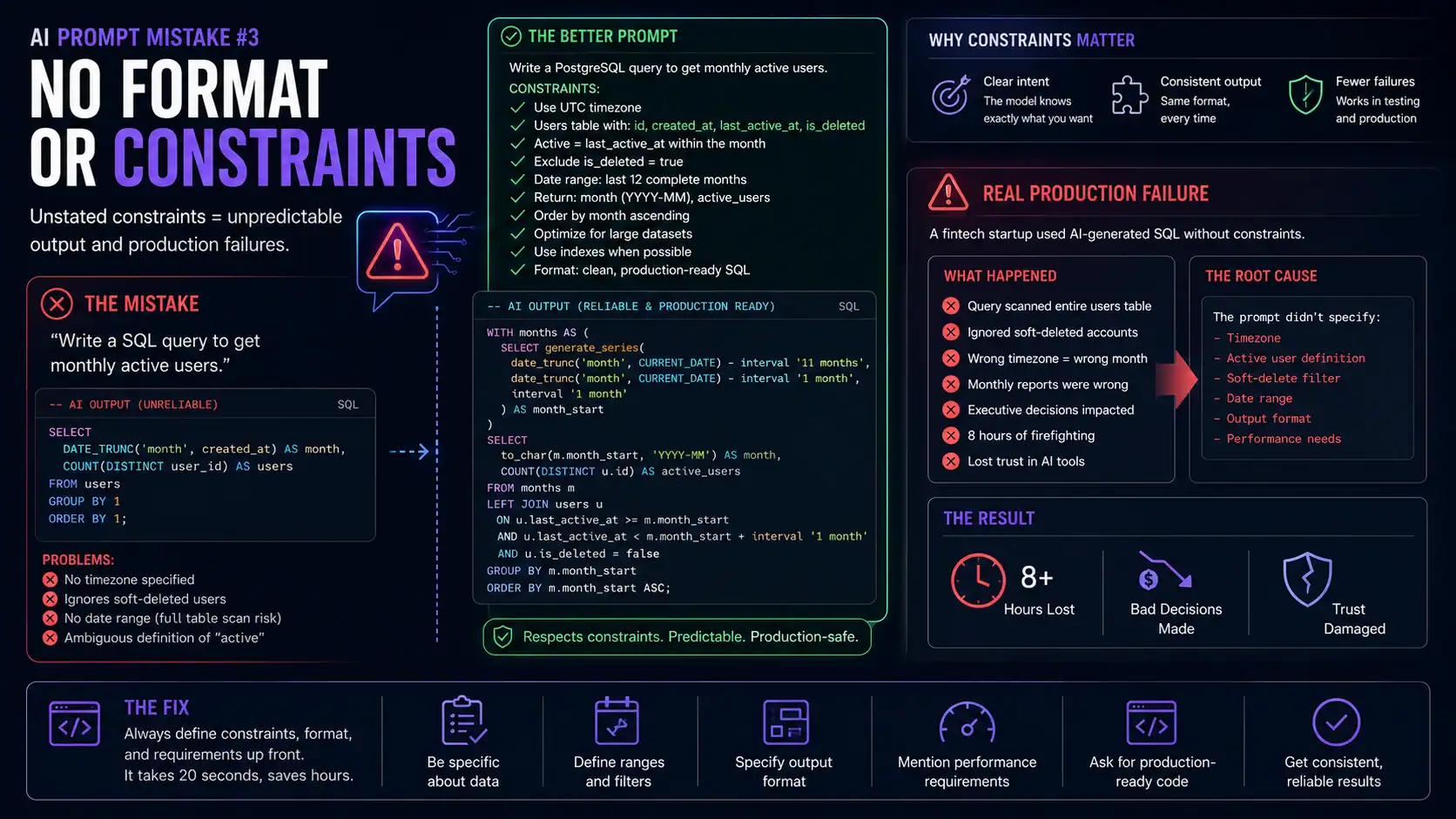
AI Prompt Mistake #3: Developers Skip Format and Length Constraints
‘Write me a summary’ will get you whatever length and structure the model thinks is appropriate. Sometimes that is a three-sentence paragraph. Sometimes it is eight bullet points and a conclusion. Without format instructions, output consistency is zero — which matters when the output feeds into another system, a PR description, or documentation that needs to look uniform.
Always specify what you want back. ‘Three bullet points, each under fifteen words, written for a non-technical manager’ takes five seconds to add and completely eliminates format guessing. For code specifically: tell it the function signature you expect, whether you want inline comments, and how error cases should be handled. The model will match whatever structure you describe.
AI Prompt Mistake #4: Describing the Error Wrong
‘It’s not working’ is the single least useful thing you can put in a prompt. The model cannot debug what it cannot see. Vague error descriptions produce vague fixes — usually a rewritten version of the same code with minor surface changes that do not touch the actual problem.
Paste the full error message. Include the stack trace. Tell it what you expected to happen and what actually happened. Mention what you already tried. ‘It throws TypeError: Cannot read properties of undefined at line 42 when the API returns an empty array. I already checked that the response status is 200. Here is the full trace’ gives the model something to work with. That prompt gets a real fix. The vague version gets a guess.
This matters even more for the almost-right problem in AI-generated code — where the error is not obvious and only surfaces under specific conditions. The more precisely you describe the failure, the closer the fix lands on the first attempt.
AI Prompt Mistake #5: Not Specifying Constraints
AI code is often technically correct and contextually wrong. A SQL query that works fine on a development dataset with 500 rows can destroy performance at 1 million rows. An API function that handles standard input correctly will silently fail on concurrent requests if concurrency was never mentioned.
State your constraints explicitly. Performance requirements, security boundaries, concurrency behavior, compatibility requirements, what the code must not do — all of it belongs in the prompt. ‘Write a read-only SELECT query, no subqueries, must complete under 100ms on 1 million rows, PostgreSQL 15’ is a constraint-rich prompt. The same request without those constraints gets a syntactically correct query that may work perfectly in testing and fail in production.
AI Prompt Mistake #6: Accepting the First Output Without Testing the Edge Cases
The first output is a draft. It is almost always optimized for the described happy path — the input scenario you mentioned in the prompt. What it is not optimized for are the scenarios you did not mention: null input, empty collections, concurrent calls, maximum values, malformed data.
Before you merge anything the AI produced, ask it explicitly: ‘What happens when the input list is empty?’ ‘What if two requests hit this endpoint at the same time?’ ‘What does this return if the API call times out?’ If the AI cannot explain a clean error path for a scenario, that path was not handled. This single habit catches more production issues than any static analysis tool, because it forces the model to reason about what it built instead of generating fresh.
AI Prompt Mistake #7: Developers Never Save Prompts That Work
A prompt that consistently produces good output is an asset. Most developers treat it as a throwaway — they write a great prompt, get the result they needed, and close the tab. Next week, they rebuild it from memory, slightly wrong, slightly worse. Over time this costs real hours.
Save prompts that work. Save prompts that work. A simple text file, a Notion page, a dedicated folder — the format does not matter. What matters is that your best prompt for ‘write a database migration’ or ‘generate a PR description from this diff’ is exactly available next week, not reconstructed from scratch. The best AI coding workflows in 2026 treat reusable prompts the same way they treat reusable code: as something you write once and maintain, not reinvent repeatedly.
AI Prompt Mistakes: Quick Before and After Reference
These are the five most common developer prompt failures with their direct fixes:
| Mistake | ❌ Weak Prompt | ✅ Fixed Prompt |
| No context | ‘Fix this function’ | ‘Refactor this auth function — it must handle token expiry, follow our existing error pattern in /utils/errors.ts, and not break the session refresh flow’ |
| No format | ‘Write me a summary’ | ‘Write a 3-bullet summary. Each bullet under 15 words. No jargon. For a non-technical stakeholder’ |
| Too much in one go | ‘Build the whole user dashboard with login, settings, and analytics’ | ‘Start with just the login form. Use our existing Button and Input components. No routing yet’ |
| No constraints | ‘Generate the SQL query’ | ‘Write a read-only SELECT query. No subqueries. Must run under 100ms on 1M rows. PostgreSQL 15’ |
| Vague errors | ‘It’s not working’ | ‘It throws TypeError: Cannot read properties of undefined at line 42 when the API returns an empty array. Here is the full stack trace: [paste]’ |
If these prompt issues are showing up in your agentic Claude Code sessions, there is a separate set of problems worth knowing about. Long sessions compound context costs in ways that prompt quality alone cannot fix — the AI coding workflow fix guide covers exactly why that happens and what to change.
Frequently Asked Questions About AI Prompt Mistakes Developers Make
Why does the same AI prompt give different results every time?
Temperature settings and model sampling introduce controlled randomness by design — it prevents the model from always defaulting to the most statistically common answer. If you need consistent output, add a format constraint and ask the model to follow a specific structure. For deterministic results in production pipelines, set temperature to zero via API. For coding tasks with one correct answer, consistent prompts with clear constraints narrow the variance significantly.
Does prompt quality matter less with newer, smarter models?
No — it matters more. Stronger models are more sensitive to framing because they have more ways to interpret an ambiguous request. A vague prompt to a weaker model gets a generic answer. A vague prompt to a frontier model gets a sophisticated, confident answer that is wrong in a more convincing way. The 45% significant-issue rate in the 2025 AI answer study applied to advanced models. Clarity pays off proportionally more as model capability increases.
How long should a good developer prompt be?
Long enough to eliminate ambiguity, short enough to avoid contradicting itself. Most effective coding prompts run three to six sentences: role or context, the specific task, key constraints, and the expected output format. Anything under two sentences usually leaves critical gaps. Anything over a paragraph usually introduces conflicts the model has to resolve by guessing. The quality test is not length — it is whether a developer who had never seen your codebase could complete the task from your prompt alone.
Is prompt engineering a skill worth learning properly in 2026?
LinkedIn ranked it the second fastest-growing professional skill in 2024, and that trajectory has continued. For developers specifically, the ROI is immediate — better prompts mean less rework, fewer production issues from AI generated code, and faster iteration cycles. You do not need a course. You need to start treating your prompts the way you treat your code: with constraints, with test cases, and with the discipline to save what works.
The Bottom Line on AI Prompt Mistakes Developers Make
Every AI prompt mistake on this list has the same root cause: the model gets credit for the output, but the developer is responsible for the input. Weak inputs produce weak outputs regardless of which model is running underneath. The model did not fail — the prompt did.
The fixes are not complicated. Context before the task. One task per prompt. Explicit format and constraints. Full error details, not ‘it’s broken.’ Edge case questions before merging. Saved prompts for work you repeat. None of these take more than a few minutes to build into habit, and each one compounds over the hundreds of prompts a developer writes every week.
Better prompts do not just produce better first outputs. They reduce the review burden on AI generated code, cut the rework that eats velocity gains, and make the session length problems that drive up rate limit costs less frequent. The tool is only as good as the instructions it receives.