
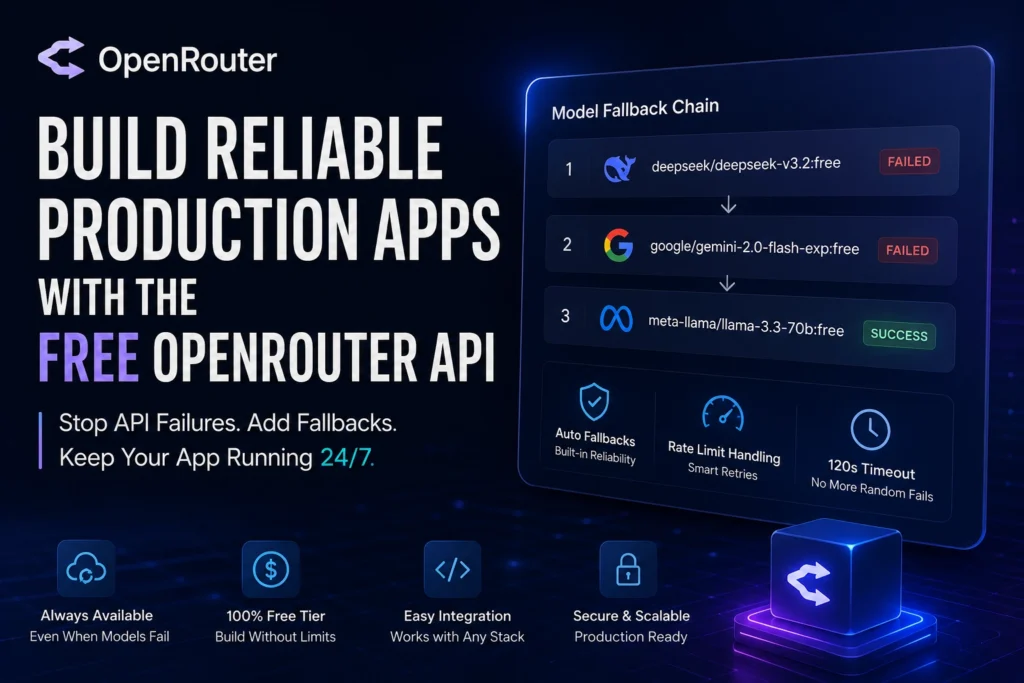

OpenRouter Free API: Stop Production Failures for GoodSo you wired up the OpenRouter free API, tested it on your laptop, everything worked, and you shipped it. Then a week later a client messages you saying the app “just stopped responding.” You check your code nothing changed. You check OpenRouter’s dashboard and the model you were calling isn’t even on the free list anymore.
This is, almost word for word, what happened to me while building an AI marketing app for a client. The free model I’d picked got deprecated without much warning. No code changes on my end the rug just got pulled.
If you’re building anything real on OpenRouter’s free models, this is going to happen to you too at some point. The good news is there’s a fairly small set of things you can configure once that make your app survive this kind of thing automatically, instead of you finding out from an angry client message.
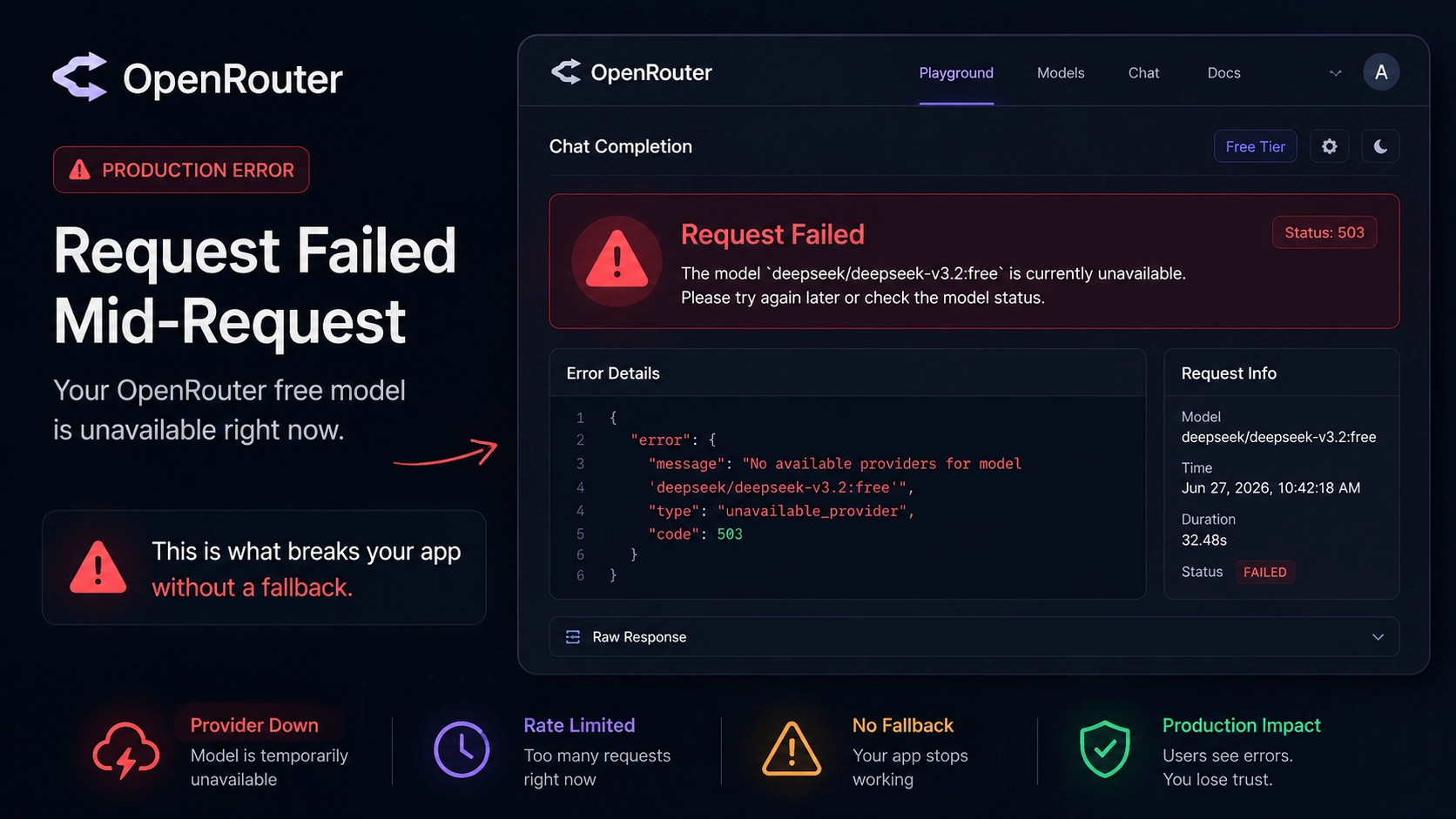
What’s actually going on with the OpenRouter free AP
OpenRouter is a single API that sits in front of dozens of AI model providers Anthropic, Google, Meta, DeepSeek, and a long list of others. Instead of integrating each provider separately, you call one endpoint and tell it which model you want. The free tier lets you use certain models (the ones with :free in their slug) at zero cost, with some rate limits attached.
The free tier is genuinely useful for prototyping, learning, or low-volume personal projects. The problem is that “free” doesn’t mean “stable.” Free models get pulled, swapped, rate-limited harder than paid ones, and sometimes just go quiet for a few minutes while a provider scales up capacity. None of that is a bug. It’s just how a marketplace of providers behaves when nobody’s paying a premium for guaranteed uptime.
Your code, though, usually doesn’t expect any of that. Most tutorials show you a single hardcoded model string and call it done. That’s fine for a demo. It’s not fine for something a real person is going to use every day.
Why this matters more in 2026 than it used to
More than 70 models have been pulled or deprecated by various providers over the past couple of years, and that pace isn’t slowing down. Anthropic restricting access to one of its own models recently is a good example — even big-name providers retire things with little notice. If your code has that model’s slug typed directly into it, your app breaks the moment that happens, and it keeps breaking until someone manually edits the code and redeploys.
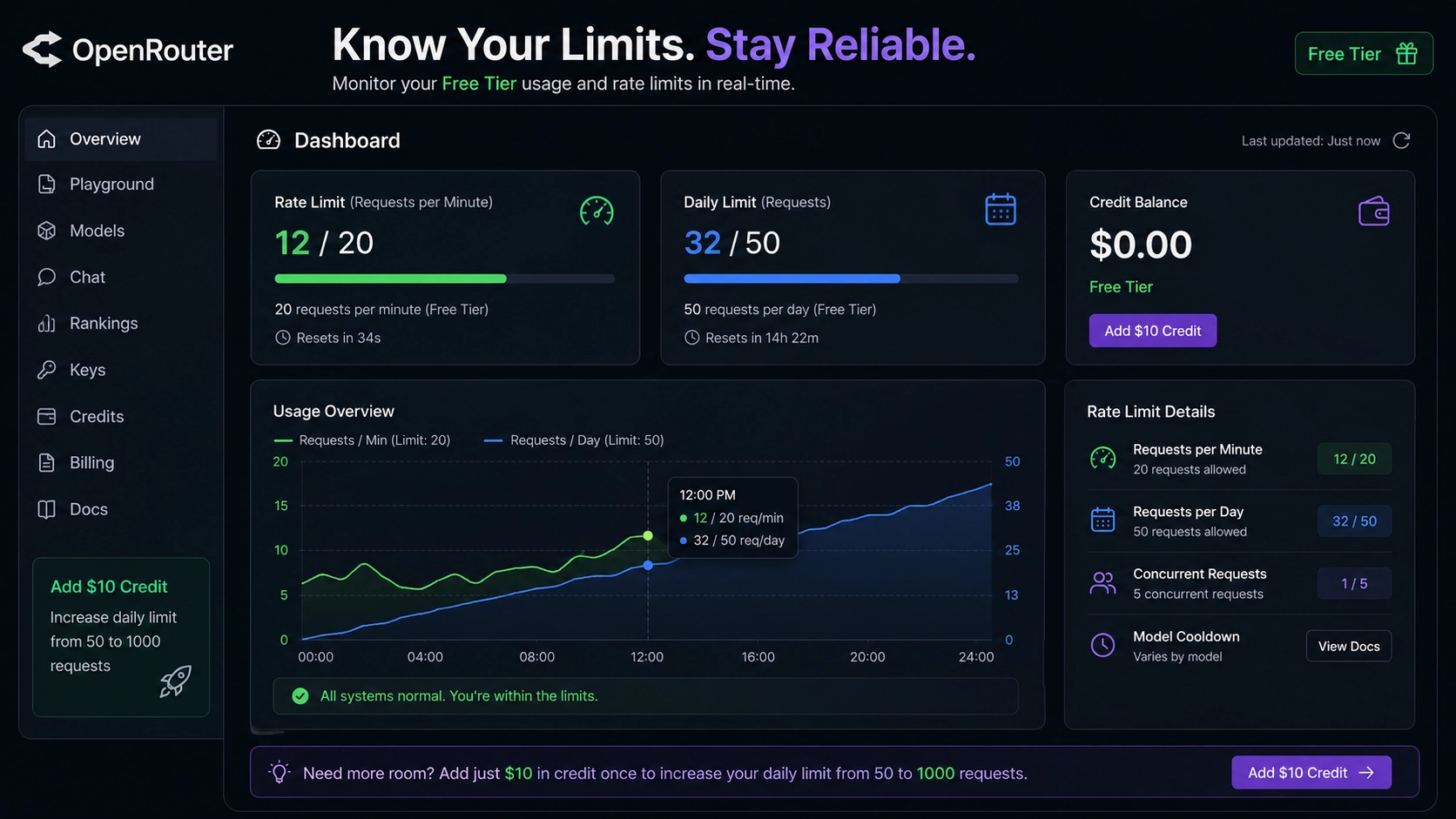
There’s also a quieter version of this problem: rate limits. Free models cap you at 20 requests per minute, and either 50 or 1000 requests per day depending on whether you’ve ever put $10 of credit into your account. Hit that ceiling during a busy hour and your users start seeing errors that have nothing to do with your code being wrong — it’s just traffic.
The errors you’ll actually run into
Before fixing anything, it helps to know what you’re looking at. OpenRouter returns standard HTTP error codes, and each one points to a different problem:
- 400 — something’s wrong with your request itself (bad params, malformed JSON)
- 401 — your API key is invalid or your session expired
- 402 — you’re out of credits (yes, this can affect free models too if your balance goes negative)
- 403 — forbidden, usually a moderation flag or a guardrail blocking the request
- 408 — your request timed out
- 429 — you’re being rate limited
- 502 — the model is down, or it sent back something OpenRouter couldn’t parse
- 503 — there’s no available provider that matches your routing settings
Honestly, 429 and 408 are the two you’ll see most often on the free tier. And here’s the part that trips people up: on 429 and 503 responses, OpenRouter often includes a Retry-After header telling you exactly how many seconds to wait before trying again. A lot of people don’t even check for it and just guess at backoff timing, which works okay but isn’t as clean.
Fix 1: Stop hardcoding a single model
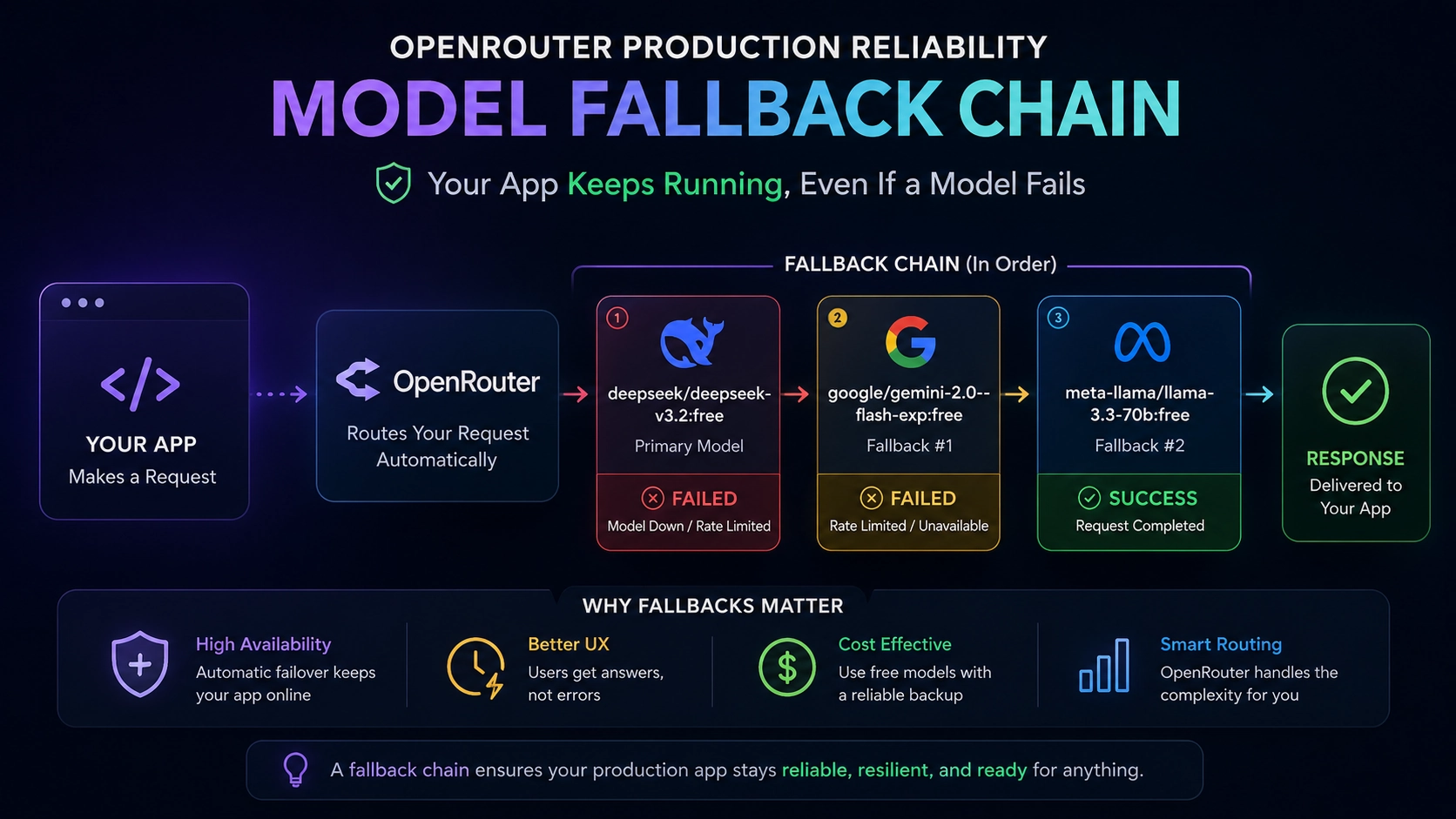
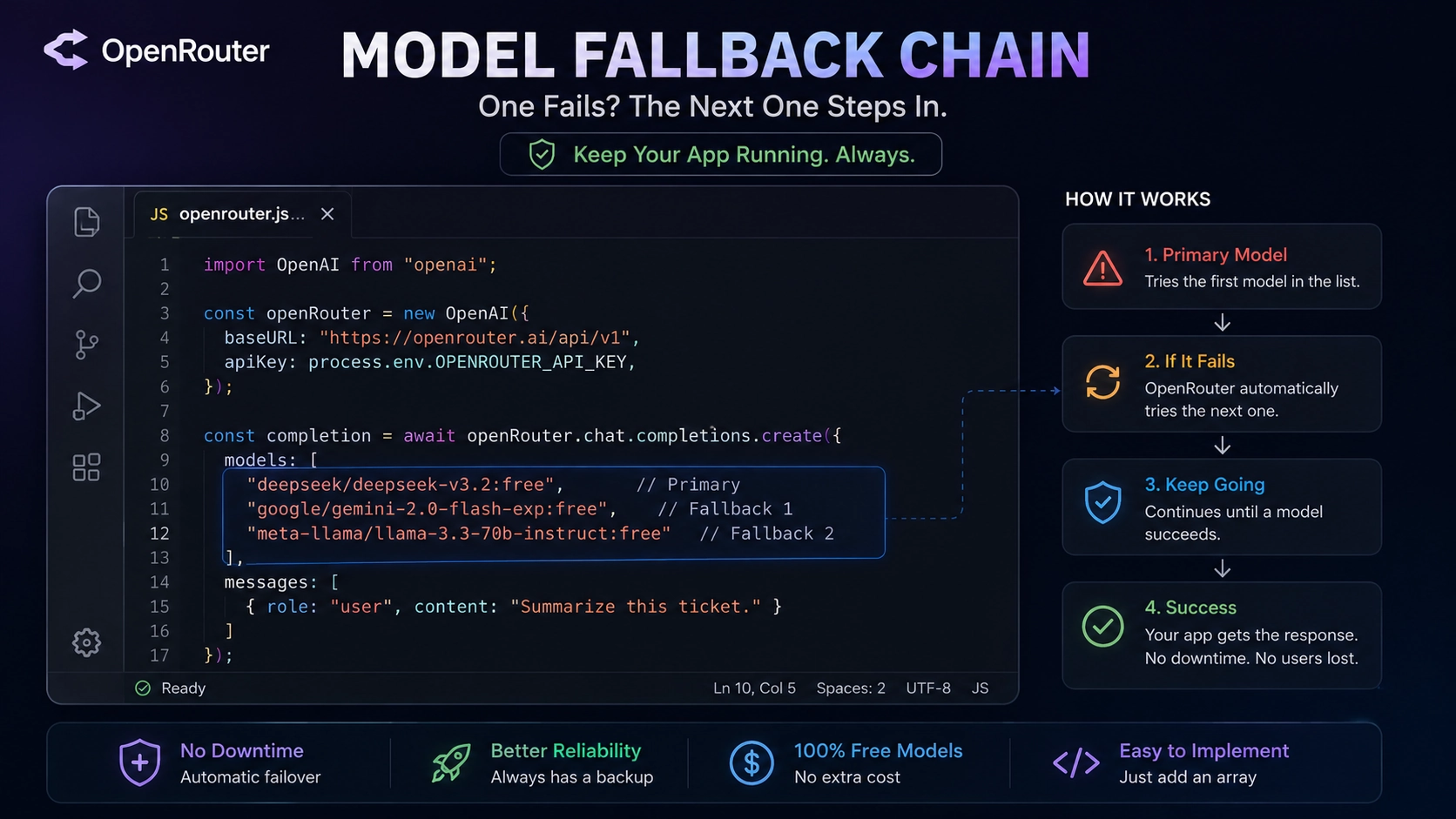
The OpenRouter free API doesn’t protect itself by default. This is the big one. Instead of pointing your code at one model slug, pass a models array with a priority order. If the first one fails for any reason, including the model being deprecated entirely OpenRouter automatically tries the next one in the list.
const completion = await openRouter.chat.send({
  models: [
    "deepseek/deepseek-v3.2:free",
    "meta-llama/llama-3.3-70b-instruct:free",
    "google/gemini-2.0-flash-exp:free"
  ],
  messages: [{ role: "user", content: "Summarize this ticket." }]
});
A fallback fires on four conditions: the provider is down, you’re getting rate-limited, your prompt exceeded the model’s context window, or a filtered model refused to answer. That covers almost everything that goes wrong day to day.
One thing worth knowing OpenRouter only walks this list once, in order. It’s not an infinite retry loop. So put your most reliable model last, the one you’d trust to answer even if everything above it failed. Think of it as your floor, not just another option in the middle of the chain.
If you’re using the OpenAI SDK pointed at OpenRouter’s endpoint (a pretty common setup), the models array goes inside extra_body instead of the top level:
completion = openai_client.chat.completions.create(
    model="deepseek/deepseek-v3.2:free",
    extra_body={
        "models": ["meta-llama/llama-3.3-70b-instruct:free"]
    },
    messages=[{"role": "user", "content": "Summarize this ticket."}]
) 
Fix 2: Use a self-updating alias for the model you trust most
There’s a neat trick that solves a slightly different problem what happens when a model family gets a new version and you don’t want to keep editing your code every time.
OpenRouter supports slugs like ~anthropic/claude-sonnet-latest. The tilde tells it to always route to whatever the newest model is in that family. When the provider ships a new version, your code doesn’t change it just starts hitting the new model automatically. The response always tells you which concrete model actually answered, so you’re never flying blind about what served the request.
This isn’t a replacement for the fallback chain above. It’s more for situations where you specifically want “give me the latest and greatest from this provider” without babysitting version numbers.
Fix 3: Handle rate limits properly instead of guessing
Don’t just retry blindly on a 429. Read the Retry-After header and actually wait that long before your next attempt. If the header isn’t there for some reason, fall back to exponential backoff.
async function callWithRetry(body, maxRetries = 3) {
  for (let attempt = 0; attempt < maxRetries; attempt++) {
    const res = await fetch("https://openrouter.ai/api/v1/chat/completions", {
      method: "POST",
      headers: {
        Authorization: `Bearer ${process.env.OPENROUTER_API_KEY}`,
        "Content-Type": "application/json"
      },
      body: JSON.stringify(body)
    });

    if (res.status === 429 || res.status === 503) {
      const retryAfter = Number(res.headers.get("Retry-After"));
      const wait = Number.isFinite(retryAfter) && retryAfter > 0
        ? retryAfter * 1000
        : 1000 * Math.pow(2, attempt);
      if (attempt < maxRetries - 1) {
        await new Promise(r => setTimeout(r, wait));
        continue;
      }
    }

    if (!res.ok) throw new Error(`OpenRouter error: ${res.status}`);
    return res.json();
  }
}
Worth knowing: free models share a global rate-limit pool. Creating extra accounts or API keys won’t get around this OpenRouter governs capacity globally, not per key. If you genuinely need more headroom, the only real lever is purchasing at least $10 of credit once, which bumps your daily cap from 50 to 1000 requests. That $10 doesn’t expire and doesn’t even mean you have to start paying for paid models it just unlocks the higher free-tier ceiling permanently.
Fix 4: Increase your timeout (most people set it way too low)
A lot of “random” failures aren’t actually random they’re just your HTTP client giving up too early. The default timeout in most fetch libraries is 30 seconds, and that’s often not enough when a provider is under load or you’re asking for a long response.
Bump it to at least 120 seconds for anything that isn’t a trivial one-line response:
const response = await fetch(url, {
  ...options,
  signal: AbortSignal.timeout(120_000)
});
If you’re building something where the user is staring at the screen waiting, pair this with streaming so they at least see tokens arriving instead of a blank spinner for two minutes.
A mistake almost everyone makes: trusting a 200 status blindly
Here’s the one that actually got me. A fallback only fires on a classified error. If a model returns a 200 OK with garbage content — empty string, half-finished JSON, something that technically isn’t an “error” OpenRouter has no way of knowing that’s wrong. It won’t move to your backup model. As far as the system is concerned, the request succeeded.
So if correctness actually matters for your use case, validate the response content yourself before trusting it. Don’t assume “no error” means “good answer.”
Common mistakes worth avoiding
A quick list of things that look fine in testing but bite you in production:
- Skipping the models array entirely because the demo worked on one model. It will, until it doesn’t.
- Writing allow_fallback instead of allow_fallbacks. The field is plural, nested inside a provider object. Get it wrong and it’s silently ignored no error, just doesn’t do anything.
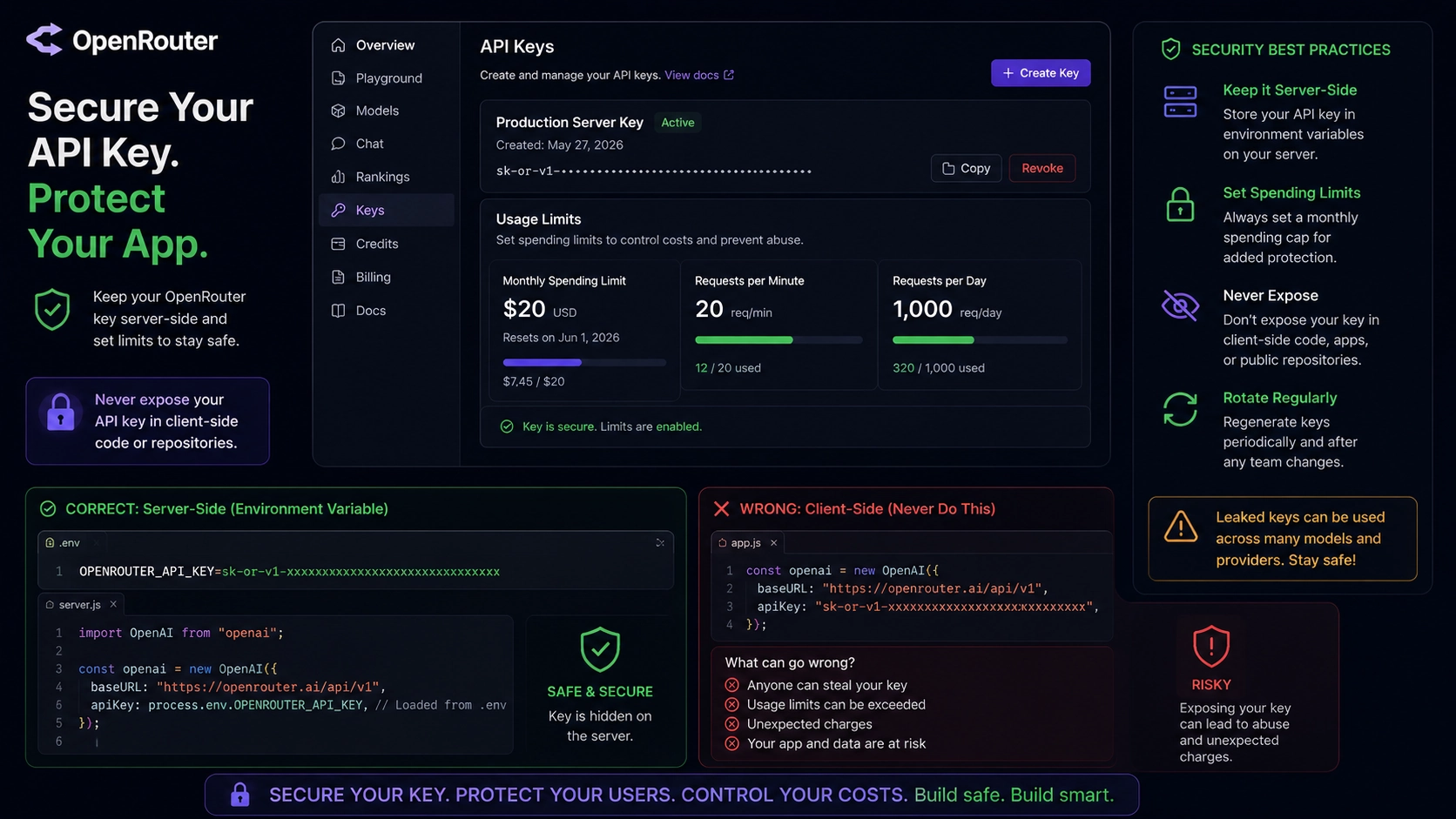
- Hardcoding API keys directly in client-side code. OpenRouter keys can hit dozens of providers, so a leaked key is a bigger liability than a single-provider key would be. Keep it server-side, in an environment variable, and set a spending limit on the key itself just in case.
- Assuming streamed responses always stop billing when you cancel them. A few providers Bedrock, Groq, Google, and Mistral among them keep generating (and billing) even after you’ve closed the connection on your end.
Never checking status.openrouter.ai. The routing layer itself has had outages before. It’s rare, but worth a glance when nothing makes sense.
OpenRouter free API vs. paid fallback: when it’s worth mixing
| Setup | Best for | Trade-off |
| All free models | Side projects, prototypes, learning | Lower reliability, harder rate limits |
| Free primary + paid floor model | Client apps, anything people depend on daily | Small ongoing cost, much better uptime |
| All paid | Production at scale, revenue-generating apps | Higher cost, best reliability |
If you’re freelancing or running client work, the middle option is usually the sweet spot. Keep your everyday model free, but put one cheap paid model at the bottom of your fallback chain as the floor. That way the app degrades gracefully into “slightly more expensive” instead of “completely broken” when the free models have a bad day.
Quick production checklist
Before you call your OpenRouter free API setup ‘production-ready’ on OpenRouter’s free tier, run through this:
- models array with at least 2-3 fallbacks, ordered with your most trusted model last
- Timeout bumped to 120 seconds or more
- Retry logic that actually reads the Retry-After header
- API key stored server-side only, with a spending cap set
- Response validation don’t trust a 200 status by itself
- A bookmark for status.openrouter.ai, just in case
That’s genuinely most of it. None of this is complicated once you know it needs to be there. The annoying part is finding out you need it the hard way, usually from a client message at the worst possible time.
Most likely it got deprecated or restricted by the provider. Free models change availability more often than paid ones. Check the model’s page on openrouter.ai if it’s gone from the free list, that’s your answer.
No. Rate limits are governed globally, not per account or per key. The only way to raise your daily free-tier cap is to add at least $10 of credit to your account once.
It can be, as long as you build in fallbacks and don’t rely on a single free model as your only path. For anything a client is paying for, I’d personally always put one cheap paid model at the bottom of the chain as a safety net.
Provider fallback switches between different companies hosting the same model — that’s automatic and on by default. Model fallback (the models array) switches to a completely different model when the first one is unavailable entirely. You need to set that one up yourself.
Generally no if a response has zero output tokens and an error or blank finish reason, you’re not billed. There are a few documented edge cases around partial outputs and certain 429s where people have reported still being charged, so it’s worth checking your activity log occasionally rather than assuming it’s airtight.
Closing thought
None of this is about distrusting the OpenRouter free API the platform genuinely does a lot of the reliability work for you automatically. The gap is just that “automatic” only covers what you’ve told it to cover. A fallback chain you never set up can’t fall back to anything.
Set it up once, test it by deliberately pointing the first model in your chain at something invalid, and move on. It’s a twenty-minute fix that saves you from finding out about a deprecation from someone else’s bug report.