


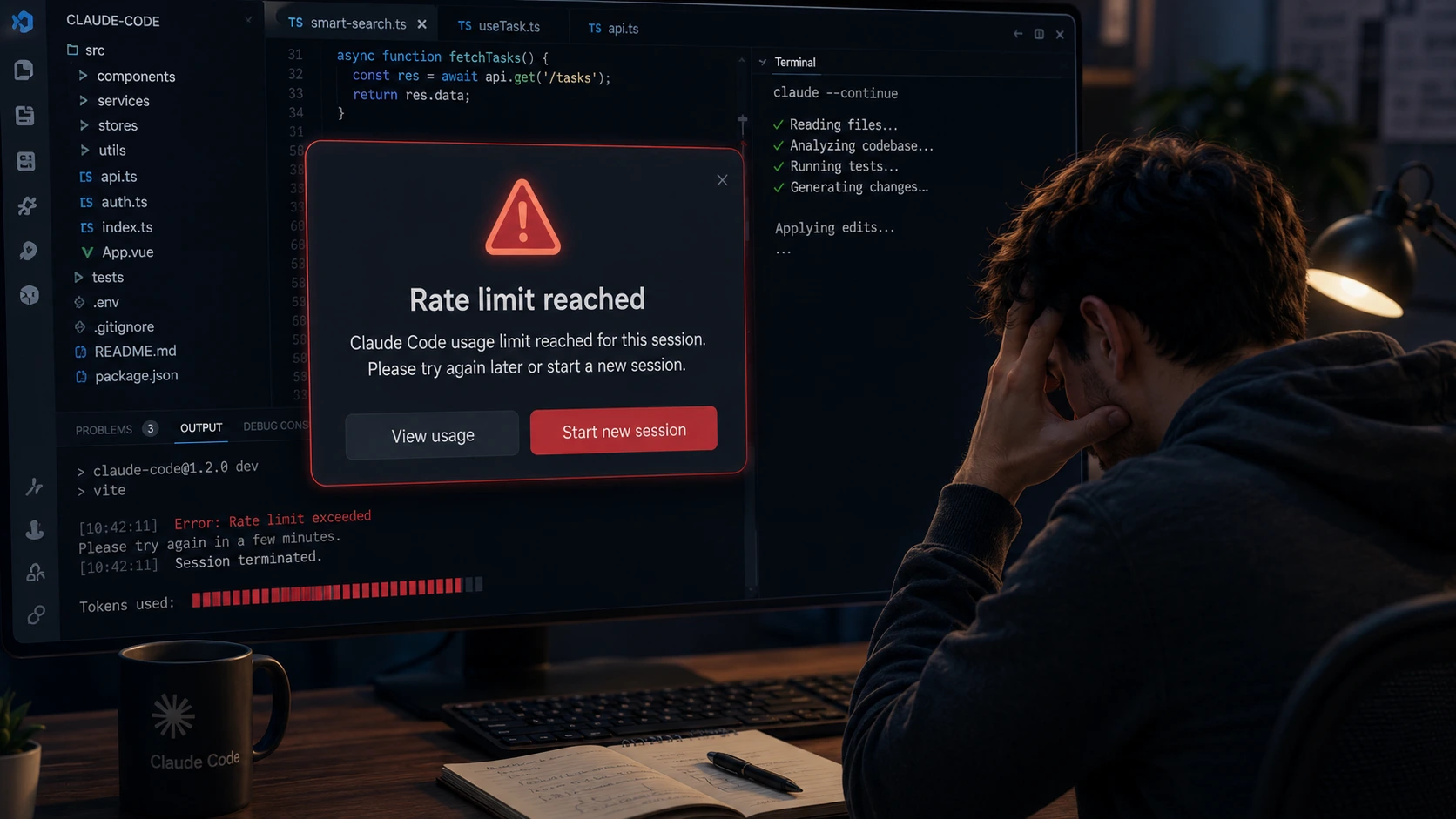
You’re deep in a refactor. Claude Code is moving fast, the diff looks clean, and then — rate limit reached. Session over. If you’ve used Claude Code for more than a few hours, you know exactly how this feels. And honestly, it’s one of the most common frustrations developers reported in 2026.
The Claude Code rate limit isn’t a bug. It’s a system of overlapping caps that behaves very differently from regular Claude chat — and most people don’t understand why until they’ve already lost a session. This guide explains what’s actually happening and gives you 6 practical fixes that work right now.
Why the Claude Code Rate Limit Hits So Fast
Regular Claude chat might use 1,000 to 5,000 tokens per message. Claude Code routinely uses 10x to 100x that amount — and here’s why.
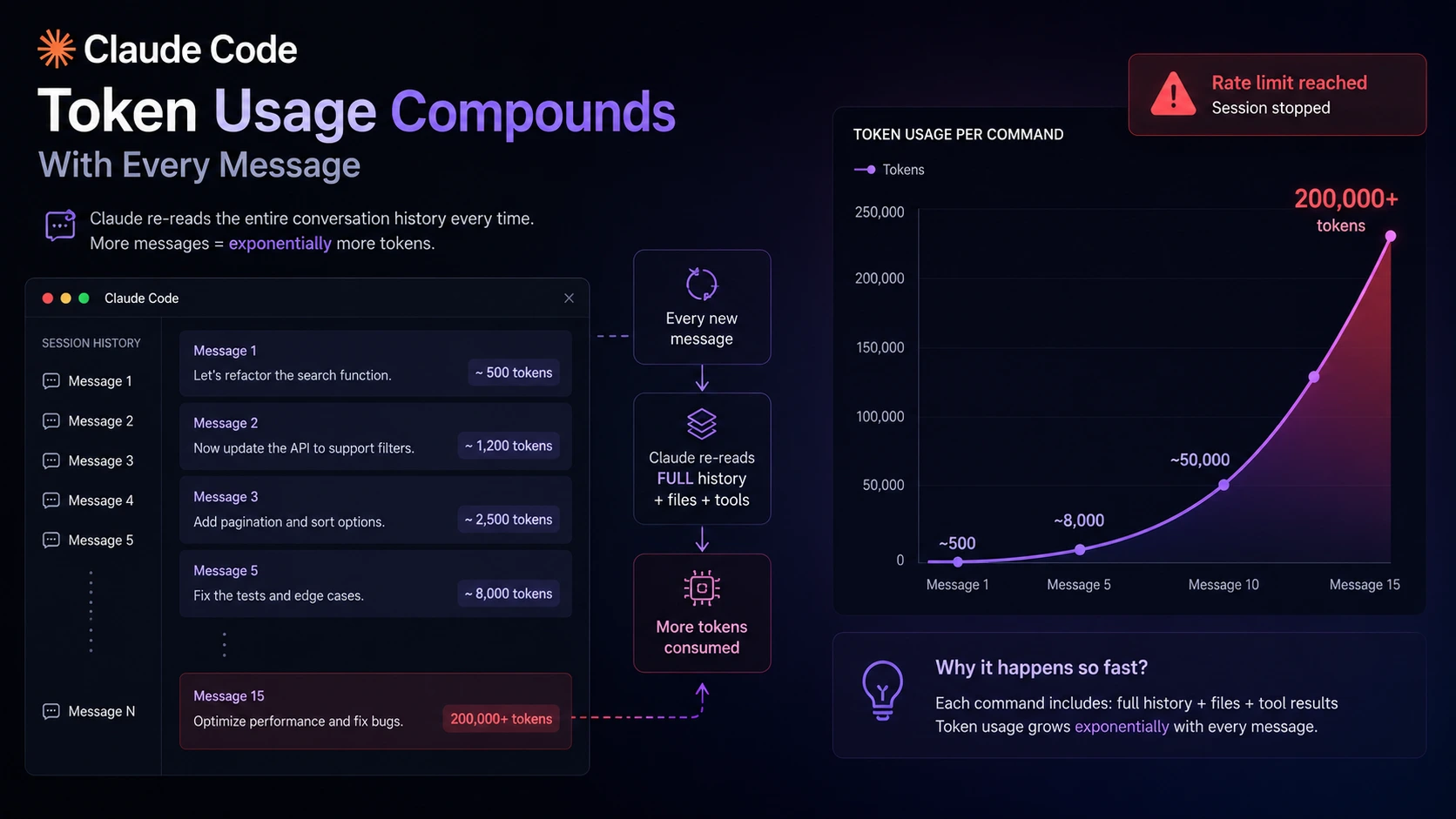
Every time Claude Code runs a command, it doesn’t just read your new prompt. It re-reads the entire conversation history from message one, plus any files it pulled into context, plus tool-use tokens from every file read, bash command, and codebase search it ran. By message 15 of a session, a single command can be sending 200,000+ input tokens. That’s the whole conversation history stacking up every single time.
On top of that, one visible action in Claude Code can generate 8–12 internal API calls. A simple “lint, fix, test, fix” cycle hits the rate-per-minute ceiling before you’ve even noticed. This is why Claude Code users hit walls that regular chat users on the same plan never encounter. The plans were originally priced for chat. Agentic coding workflows are a completely different load.
Anthropic acknowledged this publicly in March 2026 — users were hitting limits “far faster than expected.” That was the confirmation that this wasn’t a configuration issue. It’s structural.
Claude Code Rate Limit by Plan: What You Actually Get
Anthropic doesn’t publish exact numbers, but independent testing in 2026 has given us solid estimates. The limit operates on a 5-hour rolling window — not a daily reset.
| Plan | Price | Prompts / 5hr | Weekly Cap | Reset Time |
| Pro | $20/mo | ~40–80 prompts | Standard | Rolling 5hrs |
| Max 5x | $100/mo | ~225 prompts | 5x Pro | Rolling 5hrs |
| Max 20x | $200/mo | ~900 prompts | 20x Pro | Rolling 5hrs |
| API (Direct) | Pay per token | No hard cap | No weekly cap | No reset needed |
One thing that catches almost everyone: the usage pool is shared across Claude Code, claude.ai chat, and Cowork. If you spent the morning chatting on claude.ai, that already ate into your Claude Code budget for the afternoon. They’re the same bucket.
Peak hours make this worse. On weekdays between 5am–11am Pacific time, your session limit drains faster than off-peak. The weekly cap stays the same, but you burn through the 5-hour window quicker during those hours. Working in Pakistan or Europe? That maps to afternoon/evening hours — prime working time for most of us.
6 Claude Code Rate Limit Fixes That Actually Work
1. Start a New Session Regularly
This is the single most effective fix and most people skip it. Every new session resets the conversation history to zero. A fresh session on message 1 uses 500 tokens per command. A session on message 40 uses 15,000+ tokens for the same command. Don’t let sessions run for hours — break your work into focused chunks and start fresh between major tasks.
2. Use Sonnet Instead of Opus for Routine Work
Opus burns quota 3–5x faster than Sonnet on the same session, based on community reports. For everyday coding — bug fixes, small features, writing tests — Sonnet handles it fine. Save Opus for the genuinely hard problems: complex architecture decisions, tricky multi-service debugging, or anything where you’ve already tried Sonnet and it got stuck. That one switch alone stretches your plan significantly.
3. Work Off-Peak If You Can
Afternoons and evenings Pacific time (which is night-time in Pakistan) burn quota at normal speed. If your most intensive Claude Code sessions can shift to off-peak hours, the same plan lasts longer. Not always possible, but worth scheduling heavy refactors for those windows when you can.
4. Batch Your Prompts
Instead of sending ten small follow-up messages, write one detailed prompt that covers everything you need in this step. Each message in Claude Code carries the full history cost — so fewer, more complete messages use less quota than lots of short back-and-forth exchanges. Think of it like a contractor: give clear instructions upfront rather than interrupting every five minutes.
5. Use a Fallback Tool During Resets
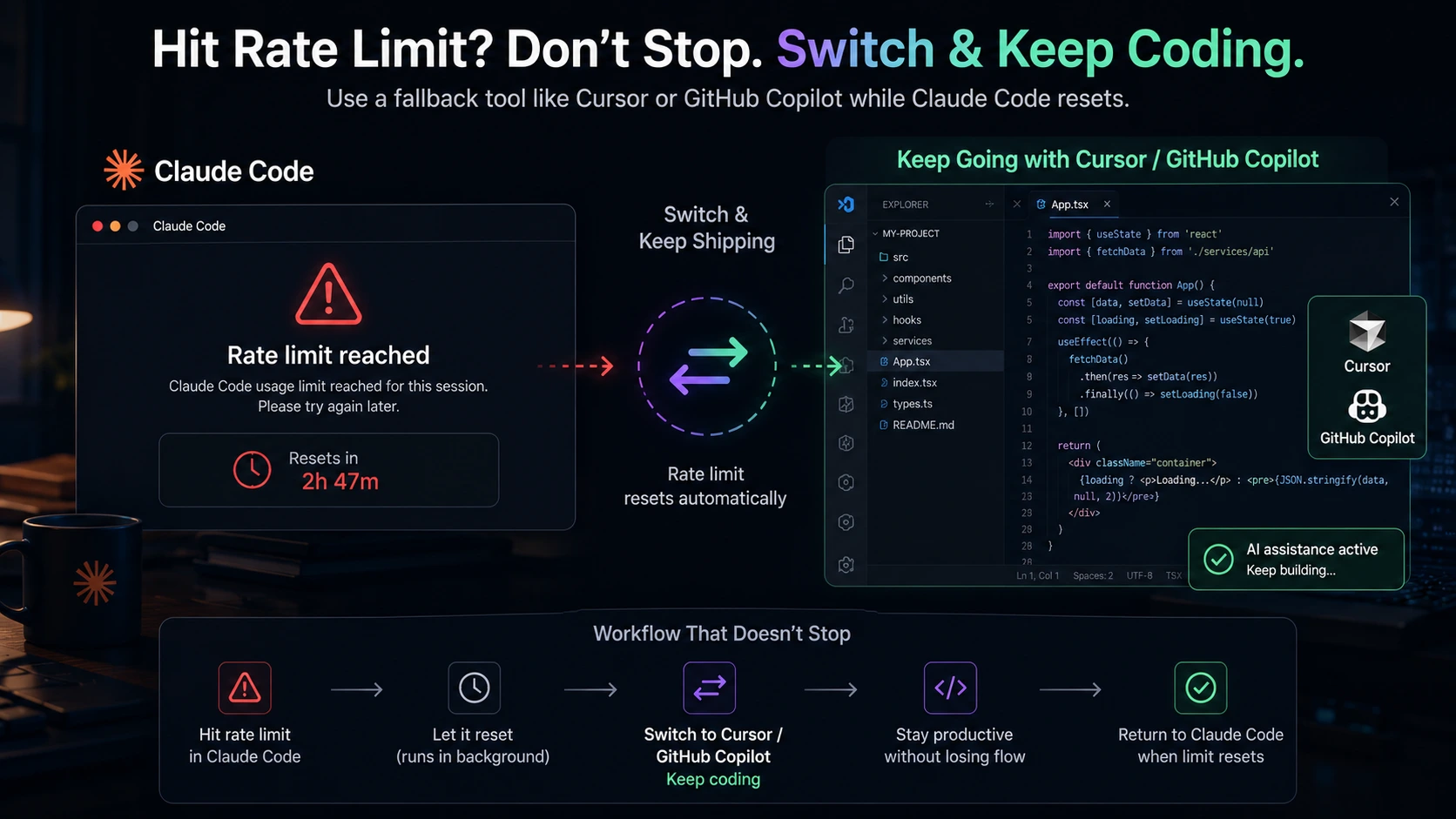
When you hit the Claude Code rate limit, you’ll typically wait 2–4 hours for the rolling window to reset. Don’t just wait. Switch to GitHub Copilot for inline completions and smaller edits during that window — it’s on a completely separate quota. Cursor is another solid fallback for visual diffs and multi-file work. The developers getting the most done in 2026 treat Claude Code as their primary agent and keep a fallback for exactly this situation.
6. Switch to API Billing for Heavy Use
If you’re consistently hitting Max 20x limits, subscription billing may not be the right model for you. Direct API access has no hard session cap — you pay per token instead. Run a test month with $20 of API credits and track your actual spend. If your real usage comes out below $200/month, API billing gives you more predictable access without the session walls. If it comes out above $200, at least you know the Max plan is the right tier.
Mistakes That Drain Your Claude Code Rate Limit Faster
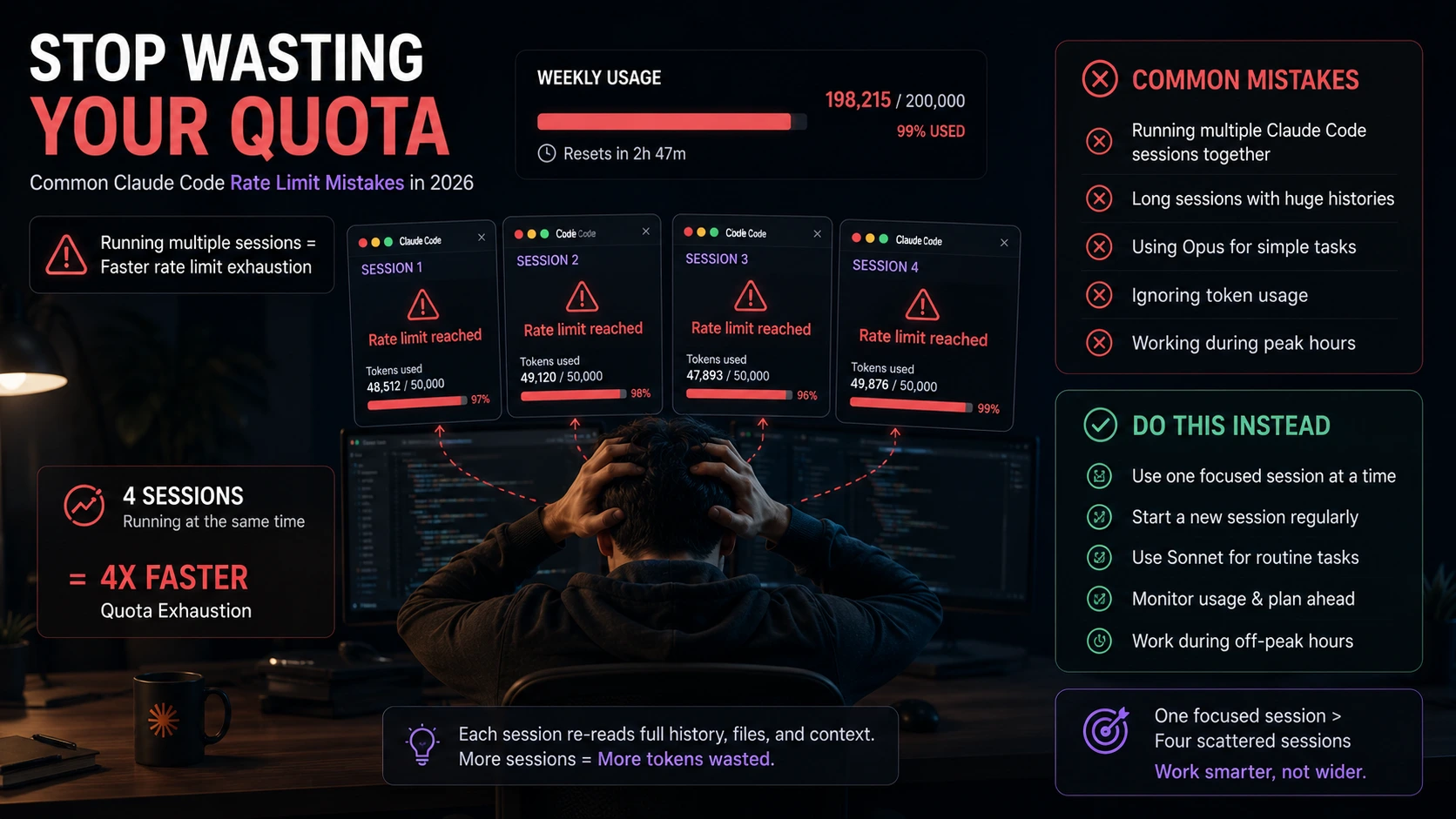
Running multiple terminal sessions simultaneously. They all pull from the same account quota. Two parallel sessions drain twice as fast — you don’t get double the output, just double the burn rate.
Using Claude Code for simple tasks. Reading a file, explaining a function, checking a syntax error — these are things a lighter tool handles fine. Save Claude Code’s quota for multi-file work that actually needs an agent.
Ignoring peak-hour throttling. The March 2026 change was poorly communicated and many developers still don’t know about it. If you’re consistently hitting walls at the same time every weekday, this is probably why — not your usage pattern.
Frequently Asked Questions About Claude Code Rate Limits
How long does the Claude Code rate limit reset take?
It’s a rolling 5-hour window — not a midnight reset. If you hit the limit at 2pm, your quota typically restores between 5pm and 7pm. Anthropic doesn’t publish exact reset times, and the /usage command only shows a countdown. Plan around the 5-hour estimate and you’ll rarely be caught off guard.
Why does my dashboard show low usage but I still hit the rate limit?
This is one of the most confusing parts of Claude Code’s rate limit system. The dashboard percentage reflects only one of three overlapping caps — it doesn’t show the per-minute request ceiling or the rolling 5-hour session limit separately. You can have daily budget remaining and still be throttled on RPM. Anthropic has acknowledged this as a known UX problem.
Does upgrading to Max 5x actually help with Claude Code rate limits?
Yes, meaningfully. Max 5x raises your 5-hour prompt ceiling from ~40–80 to ~225 prompts and gives 5x the weekly cap. For most full-time developers, Max 5x eliminates daily limit hits. Max 20x is effectively uncapped for all but the heaviest power users — developers running 8+ hour continuous agentic sessions. If you’re hitting Pro limits daily, Max 5x is usually the right move before considering API billing.
Can I use Claude Code without hitting rate limits for free?
Not sustainably for serious development work. The free tier is extremely limited for agentic use. What you can do: use Claude Code Pro for your most complex tasks and Gemini CLI (1,000 free requests/day with Gemini 2.5 Pro) as a free fallback when you hit your daily wall. That combination costs $20/month and covers most developers’ needs without upgrading to Max.
The Bottom Line on Claude Code Rate Limits
The Claude Code rate limit is frustrating — but it’s not random. Once you understand that each message carries the full session history, that peak hours drain faster, and that the dashboard only shows one of three caps, the behavior starts making sense. And once it makes sense, it’s manageable.
Start fresh sessions between major tasks. Use Sonnet for routine work. Keep a fallback tool ready. Those three changes alone will stop most developers from hitting the wall mid-session.
If you’re still hitting limits after all that, the honest answer is either Max 5x or API billing — depending on whether your usage is consistent enough to justify the flat rate. Neither is a perfect solution, but both are better than losing a session at the worst possible moment.