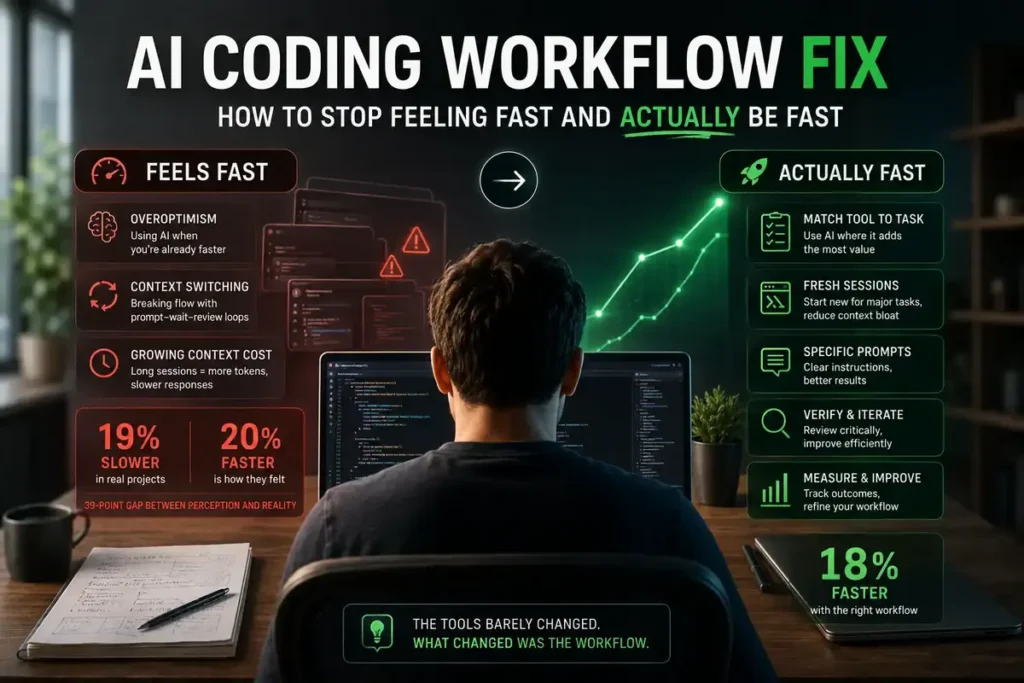

Here is the most uncomfortable thing the METR research published in 2025: your AI coding workflow fix is not about switching tools — your AI coding workflow fix is not about switching tools — sixteen experienced developers used AI tools on their own real projects — codebases they had worked on for five years — and they took 19% longer to finish their work than without AI. Not 19% faster. Longer. And when the study ended, those same developers still believed AI had made them 20% faster.
This is the AI coding workflow fix most developers never make. That 39-percentage-point gap between perception and reality is not a fluke. It is what happens when your workflow is not matched to how AI tools actually work. The fix is not complicated, but it requires changing a few specific habits — not your tools, not your model, not your subscription tier. Your workflow.

Why Your AI Coding Workflow Fix Starts With These Habits
The METR study identified five specific reasons experienced developers slowed down with AI. Three of them are pure workflow problems that have nothing to do with model quality or tool choice:
First, overoptimism. Developers reached for AI on tasks where it was not the fastest path — familiar code in codebases they already knew deeply, where their own fingers would have been quicker. Using AI on everything, including the parts where you are the faster option, adds overhead without adding value.
Second, cognitive mode switching. The classic AI coding loop — write prompt, wait, review output, catch errors, revise, wait again — breaks flow state repeatedly. Each interruption has a recovery cost. A developer writing code continuously stays in flow. A developer bouncing between prompting and reviewing never fully enters it.
Third, growing context window cost. Every message in a long Claude Code or Cursor session resends the full conversation history. By message 20, a single command carries 10x more tokens than message 1. The session feels continuous. The cost and latency compound invisibly until you hit a rate limit or slow response wall.
The good news: METR’s February 2026 update showed the same developers had flipped from 19% slower to an estimated 18% faster — in twelve months. The tools barely changed. What changed was how developers used them.
6 AI Coding Workflow Fixes That Actually Work
1. Match the Tool to the Task, Not the Habit
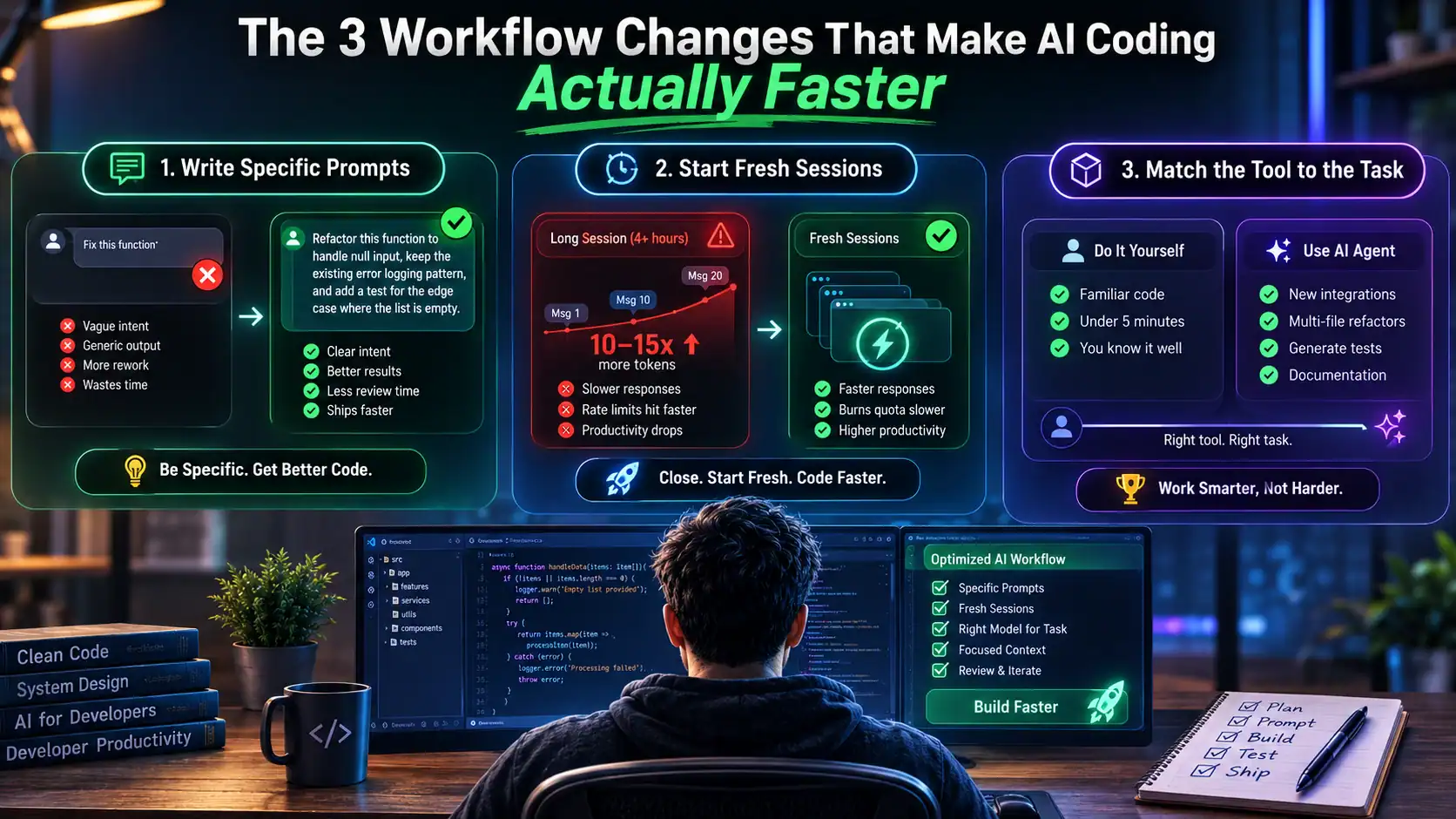
The fastest developers in 2026 are not the ones using AI for everything. They are the ones who know exactly which tasks AI makes faster and which tasks it slows down. Familiar patterns in a codebase you know well — write them yourself. Novel integrations, multi-file refactors, generating tests for existing code, documentation — hand those to the agent.
The practical test: if you can finish it in under five minutes without AI, just do it. If you need to look something up, switch contexts, or touch more than two files, that is when AI earns its keep. The developers who improved fastest after METR’s initial study were the ones who learned this distinction, not the ones who upgraded to a better model.
2. Start Fresh Sessions Between Major Tasks
This is the simplest AI coding workflow fix with the biggest return. This one change has more impact than almost anything else. A Claude Code session that started at 9am and is still running at 1pm is burning 10-15x more tokens per command than a fresh session would — because every message resends the entire conversation history. The rate limit hits faster. The responses slow down. The actual productivity drops.
The fix is simple: treat major tasks as separate sessions. Finish one feature, close the session, start fresh for the next. It feels inefficient. It is actually the opposite. This habit also happens to reduce the AI coding rate limit problem that catches most heavy users off guard — shorter sessions burn quota more slowly even at the same work volume.
3. Write Specific Prompts — Every Time
‘Fix this function’ gives the model permission to interpret your intent however it wants. ‘Refactor this function to handle null input, keep the existing error logging pattern, and add a test for the edge case where the list is empty’ gives it a real specification. The difference in output quality is significant. The difference in rework time is larger.
Specific prompts narrow the almost-right problem — where AI code looks correct, passes casual review, and breaks three weeks later on an edge case the model did not know to consider. The more constraints you provide upfront, the less review the output requires. Five minutes writing a good prompt saves thirty minutes of debugging a plausible-but-wrong implementation.
4. Use the Right Model for the Right Task
Opus burns quota 3-5x faster than Sonnet on the same session, and for most everyday coding tasks — bug fixes, small features, writing tests, code reviews — Sonnet handles it just as well. Using Opus by default for everything is the AI equivalent of calling a senior engineer to fix a typo. Save the heavyweight model for the problems that actually need it: complex architectural decisions, hard multi-file debugging, anything where Sonnet has already failed.
This one habit alone extends your monthly plan significantly. If you are hitting Claude Code rate limits regularly, check which model your sessions are defaulting to before you upgrade your subscription. Often the answer is not a bigger plan — it is routing routine work to the right model tier.
5. Review Code for Intent, Not Just Syntax
The slowdown in the METR study partly came from rework — AI code that looked right at review time and broke later. The review habit that prevents this is asking one question per function: does this code do what I actually need, or does it do what I asked for? Those are different. You asked for a caching function. Did you specify concurrent access behavior? Did you specify what happens when the cache key expires during a request?
This is covered in depth in the guide to AI generated code that is almost right — where we walk through exactly which code areas are highest risk and the four-layer review process that catches problems in five minutes before they reach production. The short version: review for intent on anything touching auth, pricing, or concurrent state. Everything else, a quick scan is fine.
6. Keep a Fallback Tool Ready
When you hit a Claude Code rate limit mid-task, waiting two to four hours for the rolling window to reset kills momentum. The developers who maintain steady output have a fallback: GitHub Copilot for inline completions and smaller edits during the reset window, or Cursor for visual multi-file work. These run on separate quota pools — hitting Claude Code’s limit does not affect Copilot or Cursor at all.
The combined cost of Copilot Pro ($10/month) plus Claude Code Pro ($20/month) is $30/month. Most developers who make the switch report that the fallback coverage alone pays for the extra subscription in reclaimed time from wait windows. It is also a hedge against the availability risk that the Claude Fable 5 suspension proved is real — when your primary tool goes down, having a tested fallback means the work continues.
AI Coding Workflow Fix: Before and After
| Workflow Element | ❌ Old Way (Slower) | ✅ Fixed Way (Faster) |
| Session length | One long 3hr session | 3 focused 45-min sessions |
| Prompt style | Vague: ‘fix this function’ | Specific: goal + constraints + edge cases |
| Model choice | Opus for everything | Sonnet for routine, Opus for hard problems |
| Code review | Quick scan, accept and move on | Review for intent, not just syntax |
| Test writing | AI writes tests after the code | Write edge cases before AI generates code |
| Context window | Let session grow long | Fresh session per major task |
| Fallback tool | None — wait for rate limit reset | Copilot for inline work during resets |
What Actually Flipped the METR Numbers From Slower to Faster
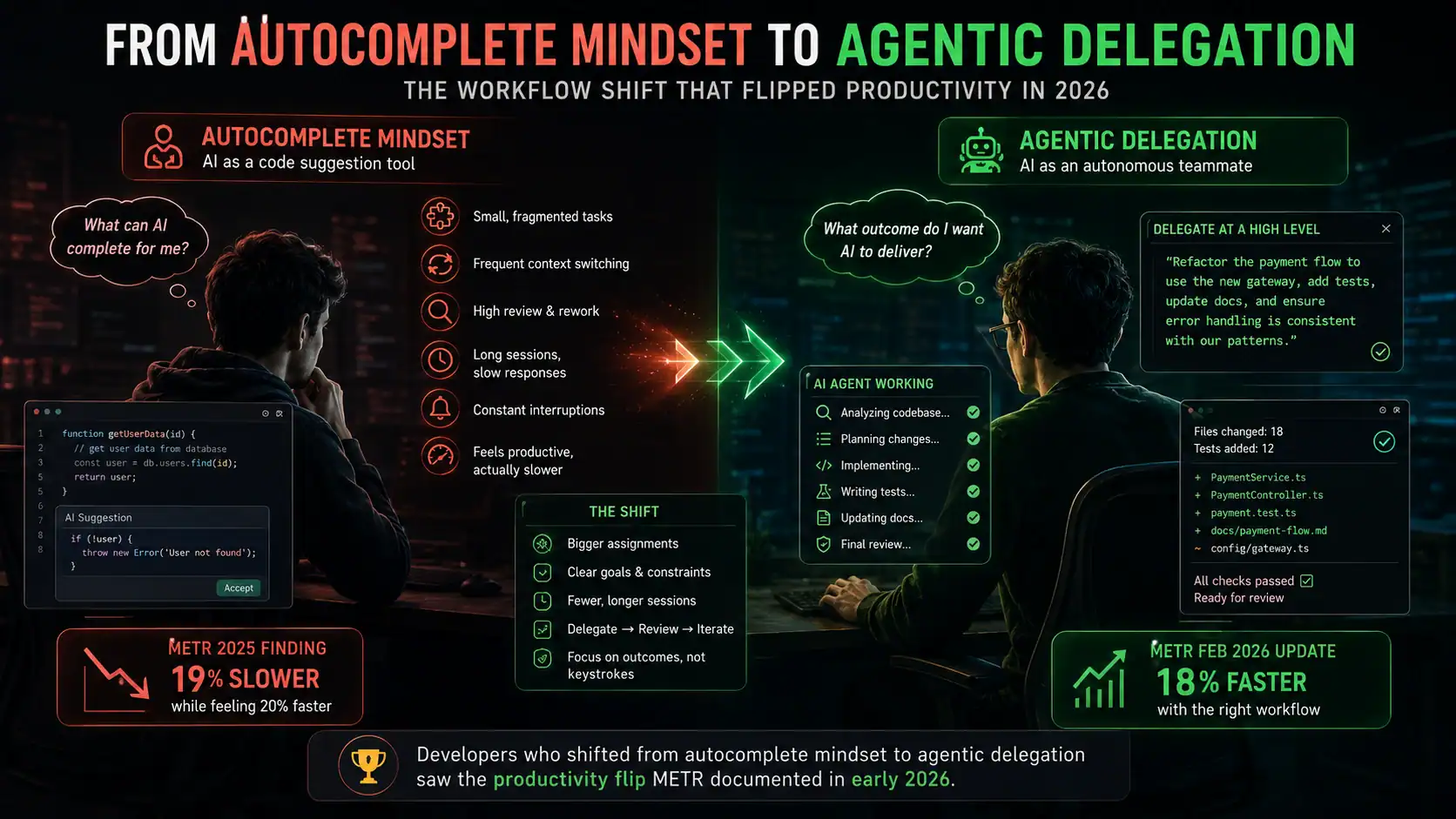
When METR revisited their study in February 2026, the developers who had switched to agentic tools — Claude Code, OpenAI Codex — were showing evidence of speedup rather than slowdown. The tools had improved, but not dramatically. What changed was the workflow that developers built around them.
The pattern that drove the flip: developers stopped using AI as a better autocomplete and started using it for delegation. Not ‘suggest the next line’ but ‘take this task, plan it, execute it across these files, and hand me a diff to review.’ That mode — where you describe what you want done rather than doing it character by character — is where agentic tools like Claude Code genuinely earn their cost.
The developers who are still slower with AI in 2026 are mostly using agentic tools with an autocomplete mindset. The ones who are faster have made the workflow shift. Neither group has better tools. They have different habits.
Frequently Asked Questions
Why do I feel faster with AI even when I’m not?
The METR study found a 39-percentage-point gap between perceived and actual productivity — developers predicted a 24% speedup, felt a 20% speedup, and were actually 19% slower. The feeling of productivity comes from smooth moment-to-moment experience: fast code generation, fewer moments of being stuck, confident suggestions. What that feeling does not capture is review overhead, correction cycles, and the long session context costs that compound invisibly. Measuring PR-to-merge time on comparable tasks before and after AI adoption is the only reliable way to know.
How long does it take to see the workflow improvement?
Based on the METR follow-up data and community reports, the J-curve is roughly 6-12 weeks. The first month is slower as you build new habits — shorter sessions, more specific prompts, model routing. By month two, the habits start sticking and the overhead drops. By month three, most developers who have made the workflow changes are seeing genuine time savings on the types of tasks they most commonly do.
Does this apply to junior developers or just experienced ones?
The METR study specifically measured experienced developers on mature codebases they knew well. Junior developers on unfamiliar code tend to see different results — AI often genuinely speeds them up because the baseline is lower. The workflow fix matters most for developers who already have deep familiarity with what they are building. The risk for junior developers is different: over-reliance on AI output they cannot evaluate critically, which is a separate problem from the productivity paradox.
What is the fastest single change I can make right now?
Start a new Claude Code session for every major task instead of letting sessions run for hours. This single habit reduces token compounding, cuts rate limit frequency, and forces clearer task boundaries that make prompts naturally more specific. It takes zero extra time and the improvement shows up immediately on your next heavy agentic session.
The Workflow Fix Is the Point
The METR research is not an argument against AI coding tools. Ninety-two percent of developers use them, and the ones who have built the right workflow around them are genuinely faster than they were twelve months ago. The 19% slowdown was a workflow problem dressed up as a tool problem.
The fix is not a new model, a bigger subscription, or a different IDE. It is shorter sessions, more specific prompts, the right model for the right task, and a review habit that checks intent instead of just syntax. Those changes take a few weeks to become automatic. After that, the productivity gap that METR measured closes on its own.
The AI coding workflow fix is a habit change, not a tool change. Use the tools. Build the workflow around them that actually works.