
You open your code editor. You type a prompt. You watch the AI generate a function, hit save, and hope it doesn’t break your production environment.
For the last couple of years, this was the peak of AI-assisted development. We adapted our workflows around smart autocomplete and multi-file editing.
But the landscape just shifted.
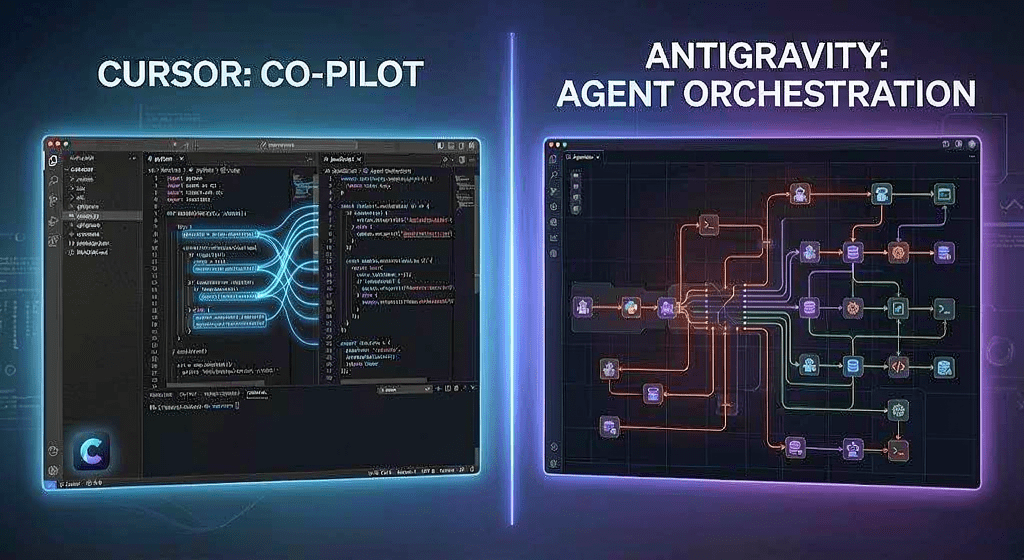
The launch of Antigravity 2.0 has turned what used to be a simple tool competition into a full-scale philosophical war. We are no longer just comparing syntax highlighting or tab-completions. We are choosing between two completely different visions for the future of software engineering.
On one side is Cursor, the darling of the “vibe coding” revolution and the undisputed king of context-aware development. On the other is Google’s Antigravity, a platform attempting to turn developers from active typists into high-level workforce orchestrators.
Which one actually belongs in your daily stack? Let’s strip away the marketing hype and look at the raw reality.
The Core Philosophy: Augmentation vs. Delegation
Before we look at performance or pricing, we have to look at how these two tools view you, the developer.
+-----------------------------------------------------------+
|                   THE PARADIGM SHIFT                      |
+-----------------------------------------------------------+
|  CURSOR: Copilot Augmentation                             |
|  -> You drive. The AI handles the heavy lifting.          |
+-----------------------------------------------------------+
|  ANTIGRAVITY: Agent Delegation                            |
|  -> The AI drives. You manage the team of agents.         |
+-----------------------------------------------------------+
Cursor: The Developer Stays in the Pilot’s Seat
Cursor didn’t try to reinvent the wheel. It took VS Code, fork-lifted the engine out, and replaced it with a deeply integrated AI brain.
The philosophy here is supercharged augmentation.
You are still the pilot. You write code, you look at the files, and you orchestrate changes using features like Composer. Cursor assumes you want to remain intimate with your codebase. It makes you faster by reducing the cognitive load of navigating directories, writing boilerplate, and refactoring across multiple files.
It feels familiar because it is. It’s your favorite text editor, just with a much higher IQ.
Google Antigravity: Moving to an Agent-First Paradigm
Antigravity 2.0 abandons the traditional text editor philosophy entirely. Google designed this platform around delegation.
When you spin up a project in Antigravity, you aren’t just opening a workspace. You are spinning up a small, autonomous digital engineering firm. Instead of asking an AI to write a specific function, you hand a macro-objective to an autonomous coordinator agent.
That coordinator then spins up sub-agents to handle the database schema, write the frontend components, and run integration tests in a sandboxed terminal. You aren’t writing lines of code; you are managing a software team.
Feature Breakdown: Cursor Composer vs. Antigravity Agent Manager
Let’s talk features. How do these philosophies translate into the features you use to build applications every day?
Code Generation and Context Awareness
Cursor’s context engine is legendary. By indexing your entire repository using vector embeddings, Cursor knows your codebase inside out. If you reference a deeply nested helper function in a prompt, it immediately grabs the relevant context.
Cursor Composer allows you to edit multiple files simultaneously. You can ask it to “update the checkout flow to include our new tax API,” and it will correctly modify your frontend components, backend routes, and types in one shot. You watch the diffs happen in real time, accepting or rejecting changes line by line.
Antigravity approaches context differently. It leverages Google’s massive Gemini token context window. Rather than guessing what files are relevant through vector searches, it dumps your entire codebase—documentation, commit history, and active issues included—straight into the model’s active memory.
Parallel Execution and Multi-Agent Orchestration
This is where Antigravity breaks away from standard editors. Cursor Composer is largely sequential. It processes your request, generates the code, and waits for your input.
Antigravity operates in parallel. Its Agent Manager allows multiple AI agents to work on different parts of your application at the same time.
Real-World Example: You ask Antigravity to build a new dashboard feature. Agent A begins writing the React components. Simultaneously, Agent B writes the backend API endpoints in Node.js. Agent C continuously attempts to compile the code in a background container, feeding errors back to Agents A and B until the build succeeds.
You don’t watch code stream onto the screen line by line. You watch an activity log of agents discussing bugs, committing code to a temporary branch, and resolving conflicts independently.
The Antigravity 2.0 Interface Shock: What Changed?
If you used early versions of Antigravity, you might remember it as a clunky web-based IDE. The 2.0 update changed that completely.
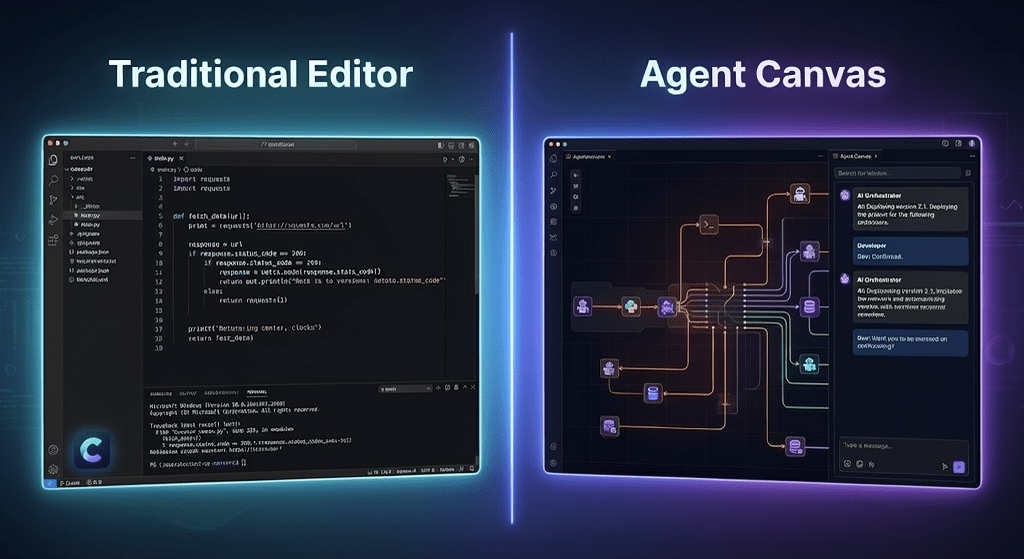
Google replaced the standard file-tree layout with a hybrid Canvas and Chat interface. The left side of your screen is a visual map showing the architecture of your app and the active agents working on it. The right side is a terminal and a control room chat.
For traditional developers who love keyboard shortcuts and Vim bindings, this interface shock can feel alienating. It feels less like coding and more like operating a complex management dashboard. Cursor, sticking strictly to the VS Code UI ecosystem, wins the comfort battle hands down.
Direct Comparison: Pricing, Speed, and LLM Flexibility
Choosing an IDE isn’t just about cool features. It’s about daily operating costs, responsiveness, and ecosystem lock-in.
| Feature / Metric | Cursor | Google Antigravity 2.0 |
| Interface Style | Traditional VS Code Fork | Canvas & Agent Dashboard |
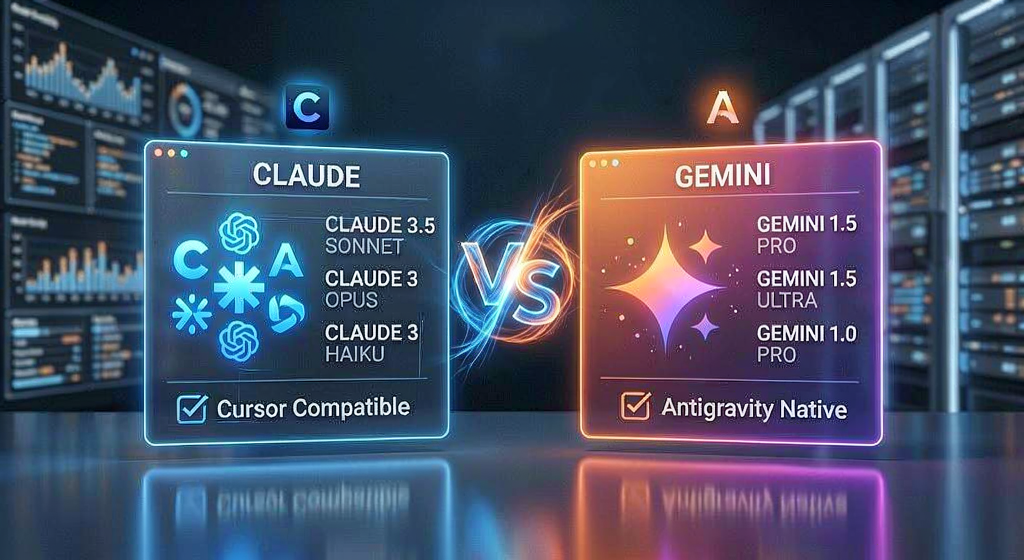
| Default Models | Claude 3.5 Sonnet, GPT-4o | Gemini 1.5 Pro / Ultra |
| Model Flexibility | High (Bring your own API key) | Locked to Google Ecosystem |
| Context Strategy | Local Repository Indexing | Massive Native Token Window |
| Execution | Sequential Multi-file Editing | Parallel Multi-Agent Execution |
| Pricing Model | $20/month Pro Tier | Tiered Cloud Credits / Workspace |
Model Availability (Claude vs. Gemini)
Cursor’s greatest asset is its model agnosticism. It defaults to Claude 3.5 Sonnet—which remains an absolute powerhouse for logic, clean syntax, and architectural planning. If you want to switch to GPT-4o or a custom open-source model via OpenRouter, you can do it with two clicks.
Antigravity locks you into Google’s sandbox. It runs entirely on Gemini models. While Gemini’s speed and context window size are unmatched, some developers still prefer the precise, human-like code generation style of Anthropic’s models. If you don’t like Gemini’s output style, you are out of luck in Antigravity.
Price-to-Value Analysis
Cursor keeps it simple: a flat $20 per month for their Pro tier gives you fast, unlimited premium requests. It’s predictable, affordable, and easy to justify for any working professional or indie hacker.
Antigravity’s pricing scales based on compute. Because it actively runs background containers, automated testing suites, and multiple parallel agents, it consumes resources fast. If you leave a fleet of agents trying to solve a complex bug loop for three hours, you might find a surprising cloud bill waiting for you at the end of the day.
Which AI Code Editor Should You Choose?
The “better” tool depends entirely on your project scope, your technical background, and how much control you want to maintain over your codebase.
Choose Cursor If…
- You love the craft of coding: If you enjoy writing logic, refactoring, and maintaining granular control over your architecture, Cursor is unmatched.
- You rely on the VS Code ecosystem: You can import your extensions, themes, and keybindings in thirty seconds.
- You prefer Claude 3.5 Sonnet: If your workflow depends on the reasoning capabilities of Anthropic’s models, Cursor is your home.
- You want predictable pricing: One flat monthly fee with no surprise compute costs.
Choose Antigravity If…
- You are focused purely on output: If you are a founder, product manager, or “vibe coder” who cares about shipping features rapidly rather than writing clean code by hand, Antigravity’s agent model is built for you.Which AI Code Editor Should You Choose?
- The “better” tool depends entirely on your project scope, your technical background, and how much control you want to maintain over your codebase.
- Choose Cursor If…
- You love the craft of coding: If you enjoy writing logic, refactoring, and maintaining granular control over your architecture, Cursor is unmatched.
- You rely on the VS Code ecosystem: You can seamlessly import your extensions, themes, and custom keybindings in thirty seconds.
- You prefer Claude 3.5 Sonnet: If your daily engineering workflow depends heavily on the precise reasoning and architectural planning capabilities of Anthropic’s models, Cursor is your home. In fact, if you want to see how this specific family stack matches up against alternative enterprise options, check out our in-depth analysis on Claude Fable vs Claude Mythos.
- You want predictable pricing: One flat monthly fee with no surprise cloud compute or background container costs.
- Choose Antigravity If…
- You are focused purely on output: If you are a startup founder, product manager, or digital builder who cares about shipping features rapidly rather than writing clean code by hand, Google Antigravity‘s agent model is built for you.
- You manage large legacy systems: The massive native context window allows you to drop entire documentation libraries and enterprise-scale repositories into the workspace without losing context.
- You want fully automated testing: The ability to let digital sub-agents write code, execute scripts in a terminal, catch compiling bugs, and fix themselves without human intervention is incredibly powerful.
- You manage large legacy systems: The massive native context window allows you to drop entire libraries and enterprise-scale codebases into the workspace without worrying about missing context.
- You want fully automated testing: The ability to let agents write code, run it in a container, catch errors, and fix themselves without human intervention is incredibly powerful.
The Verdict: Co-Coding or Workforce Orchestration?
Cursor makes you a better, faster, more efficient programmer. It removes the friction of modern web development while keeping you in absolute control of the ship. It is the peak evolution of the classic text editor.
Antigravity isn’t trying to improve the text editor. It’s trying to replace the need for one. It turns coding into an executive management task.
If you want an elite co-pilot that helps you write brilliant software, stick with Cursor. If you want to step away from the keyboard and manage an automated agency that builds software for you, step into Antigravity.
Take Control of Your Development Workflow
The best way to know which paradigm fits your style is to test them on a real project.
Fire up Cursor on your current repository, then spin up a sandboxed environment in Antigravity 2.0. Compare the speed, the autonomy, and the sheer feel of the workflow.
Which side of the AI development split are you on? Drop your experiences, your bug-hunting horror stories, or your favorite setup in the comments below. Let’s talk about how you’re shipping code this year.